A task such as “sort out the spare room” gives you a lot to decide before you can begin. Try replacing it with one action you can see and finish, such as “put the books from the chair on the shelf.” You can leave the rest of the room for another session.
This guide gives you five steps for making that choice. Use paper or a tool you already keep open. Add an app when you need help making a list or keeping the next step with the larger task.
1. Name a finish point for this session
Choose what you want to leave different after a short period of work. Make the result smaller than the whole project.
For a report, your finish point could be a rough list of questions. For a room, it could be one clear chair. For an overdue form, it could be finding the document you need to fill it in.
Write the finish point in one sentence. Avoid a result that still contains several other projects, such as “get ready for next month.” Ask what you would be able to point to when this session ends.
You can also decide to stop after a set amount of time. Keep that limit as permission to review the task. You do not have to finish a large project because you managed to start it.
2. List the actions you can already name
Write a few actions that could lead to your finish point. Begin each with a verb: open, find, move, write or ask. For a form, your list might be “find the letter,” “read the first page” and “write down the missing details.”
Leave out steps that belong to a later stage. If the current aim is to find the letter, you can plan how to submit the form after you have read it.
Workflowy lets you nest list items beneath a larger item. You could put your finish point in a Workflowy item and add the few actions you already understand beneath it. Its bullet list guide explains the structure.
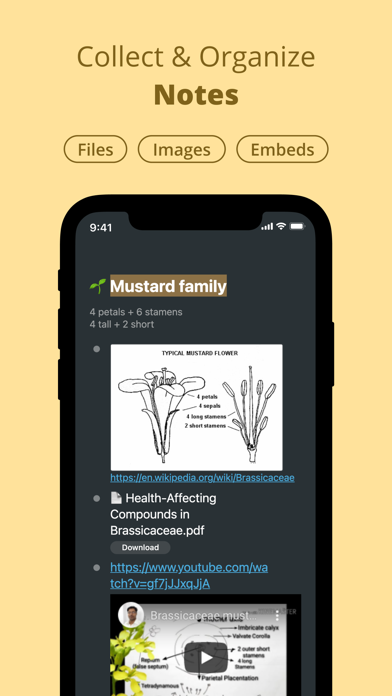
For the form example, write one parent item for the finish point, then put “find the letter” beneath it. Add the next action after you have read the letter. You can keep the outline shallow; writing several levels of detail is optional.
Use only the detail you need to return to the work. If making the list takes longer than the small action, stop planning and try the action. You can add the next step after you have more information.
3. Ask for suggestions when the steps are unclear
Sometimes the obstacle is deciding what a task includes. You could ask someone who knows the work to help name the first few actions. Bring them the finish point you wrote, so the request stays specific.
Magic ToDo can suggest steps for a task. You can use Goblin Tools to make a draft breakdown, then decide which suggested actions fit your task. The Magic ToDo page describes this function.

Treat the suggestions as a list to check. Remove steps that do not apply, add details from your own situation and put the remaining actions in a useful order. Avoid entering private documents or account details just to describe a routine task.
A generated list is optional. If a suggestion leaves you unsure what to do, rewrite it or ask a person who understands the task. More items will not resolve a missing instruction or a decision that belongs to someone else.
4. Choose one action with a clear start
Look for an action you could begin with the tools and information you have now. “Work on the report” leaves the start open. “Open the report file and write the three questions it must answer” gives you a place to begin.
Set aside actions that depend on a reply or a missing file. Write down the request you need to make, then send it if that is the next useful action. You can pause the project while you wait.
Keep the chosen action visible. Put it at the top of your paper list, or leave its task open. Close the planning screen if looking at the rest of the project keeps drawing you into more decisions.
5. Leave yourself a return note
At the end of the session, write what you finished and what you would do next. For example: “Found the letter. Next: check which date the form asks for.”
Include the file name or place you need to reopen. Make the note short enough to read before another session. If the task changed, replace the old next step rather than adding a second competing instruction.
This approach has limits. A short list does not provide missing time, money, instructions or agreement from another person. When one of those is the main obstacle, make that need explicit instead of dividing the task again.
Try one small action
- Name a finish point you can see.
- List only the next few actions you already understand.
- Ask for help or use a step-suggestion tool when the work is unclear.
- Keep the next action beside the larger task so you can return to it.
Choose one unfinished task now and prepare its first visible action.