Choose a planning app by the decision you want it to make easier. You might want to mark a few tasks, put a list in order or mark the importance of a task in a tool you already use. Start with that choice before moving all your work into a new tool.
ClickUp, Dynalist and TickTick offer different ways to record that choice. This comparison uses their official feature documents. It includes a small exercise you can try; it does not report hands-on testing or a score for how well an app works for ADHD.
Compare the same decisions
Use these questions for each app: What kind of item will you plan? How will you record its place in the work? What will you have to decide yourself?
| Question | ClickUp | Dynalist | TickTick |
|---|---|---|---|
| What item do you plan? | A task | A list item, with subitems if needed | A task |
| How can you record what comes first? | Choose from four priority flags | Put items in your chosen list order | Choose High, Medium, Low or None |
| What decision remains yours? | What each flag means for this work | Which item belongs first | What each priority means for your day |
The table describes a narrow planning choice. It does not compare every feature, access rule or subscription. Check the details that matter to you before you move existing work or pay for a plan.
ClickUp: choose a flag for a task
ClickUp offers four flags for task priority. The task priority page describes the flags. Read the ClickUp directory entry if you want to keep it on your shortlist.

Try it when you want a visible priority marker on a task. First write a rule for your most urgent work. For example: “Someone else needs my reply today before they can continue.” Use a different rule for useful work that can wait.
Apply the rule to a few tasks before you label a whole list. If every task receives the same flag, revisit the rule. Ask which consequence matters today, and which task has a real deadline.
A flag records a choice. It does not settle a disagreement about the work. If you share the list, agree on the rule with the people who rely on it. Otherwise, the same marker may carry a different meaning for each person.
Dynalist: put your list in a chosen order
Dynalist lets you place list items beneath other items as subitems. The subitem instructions describe this structure. Dynalist lets you drag a list by its bullet point to move it. The move-list guide explains the action.
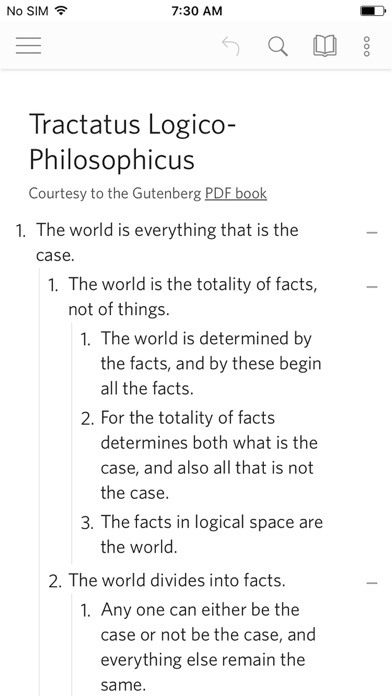
With Dynalist, try writing one heading for the work you are choosing between. Put the candidate actions beneath it. Then move the action you intend to start first above the others.
This is a suggested planning routine, rather than a claim that list order measures urgency. You supply the meaning of the order. Write “start here” beside the first item if that makes the choice clear to you.
Use a short list for the exercise. You do not need to outline every part of a project. If nesting creates more places to look, keep the immediate actions at one level. Group later details only when you need them.
TickTick: choose a priority for the next task
TickTick offers High, Medium, Low and None priority levels for tasks. The official task detail guide describes those options. Read the TickTick directory entry if you want to include it in your shortlist.
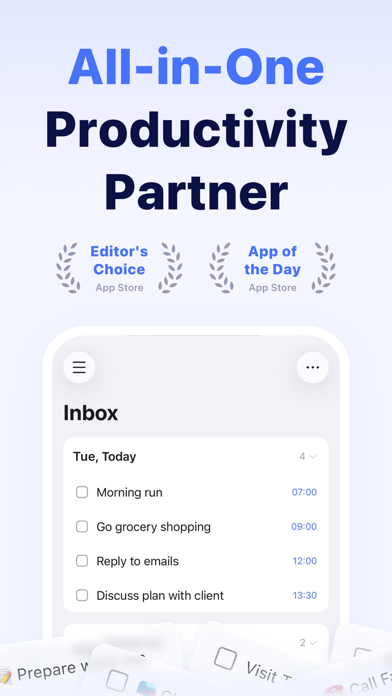
Try this method with a short set of tasks you already intend to do. Give one task a priority based on a concrete reason. For example, you might need to send a document before a meeting or reply to a person who is waiting for a decision.
Decide what you will do when two tasks receive the same level. You could compare their deadlines or ask which person needs a reply first. Write your chosen next action before you start moving the rest of the list.
Treat the priority as a planning note you can review. If you cannot explain why a task comes first, leave the label alone and clarify the request. Choose another tool if you want to work through a short ordered outline instead.
Try the same work before choosing
Pick three real tasks you expect to do soon. For each, write its deadline, who needs the result and the first action you could take. Include one item that can wait, so the exercise asks you to make a choice.
In each app you are considering, record those same items and mark the one you would start. Notice the steps you take to make that choice. Can you find your chosen item again after you leave the screen? Can someone else understand your reason?
Keep your own pass condition concrete. You might require that you can return to the first task without sorting the list again. If a current tool already meets that need, keep it for this exercise.
Choose by the decision you need
- Use ClickUp if you want to mark a task with a priority flag.
- Use Dynalist if putting items in a chosen outline order fits your work.
- Try TickTick if marking a priority in your existing task list fits the choice you need to make.
Try the same small task in the option you are considering. Record what comes first and why, then keep your current tool if it already meets that need.