All-in-one project management with views for every brain type
ClickUp is a work management workspace that brings tasks, documents, conversations and planning tools together. It is designed to let a team organize several kinds of work in one system rather than move between a separate task app, notes tool and reporting space. That breadth makes it adaptable, but it also gives you more choices to configure.
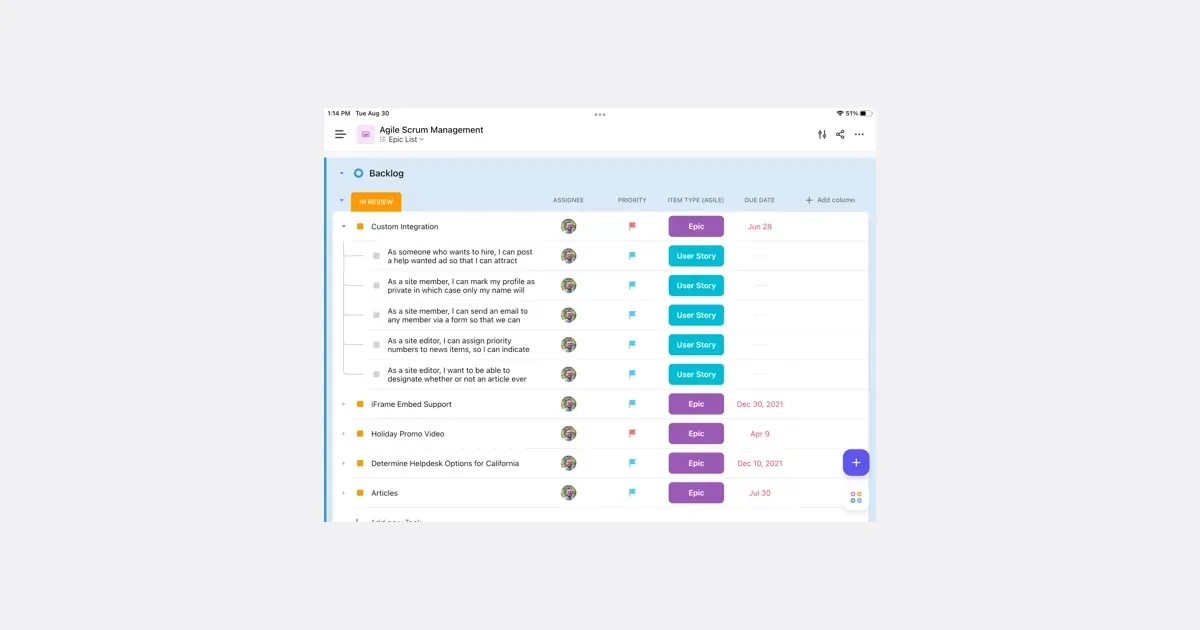
A practical first setup might use one space for a team, a list for a current project and tasks for the next actions. A task can hold the context needed to complete the work, while documents can explain a process or collect a longer brief. Different views and statuses can represent how the team works, making the same project easier to scan from more than one perspective.
ClickUp's feature set includes time tracking, calendars, dashboards, automations and whiteboards, as well as AI features that work with workspace information. The availability and usage allowances of individual features vary by plan and add-on, so it is worth checking the current feature comparison before designing a workflow around them. A long feature list does not mean you need to activate everything.
For people who benefit from connecting instructions and next steps, keeping those items together may reduce the effort of finding context. The trade-off is the work of maintaining the system. Too many custom statuses, nested locations or notification rules can make an otherwise small project hard to navigate. Start with one real workflow and agree what each status means. ClickUp is most useful when its range replaces genuine fragmentation; it may feel heavy when a straightforward list and a shared document would cover the same need.
Helps with