


Challenge guide

    Deadline sensitivity and ADHD: planning before urgency takes over

    Deadline sensitivity describes how strongly the nearness of a deadline changes your attention, motivation or stress.

    By ADHD Product Directory · Updated October 30, 2026

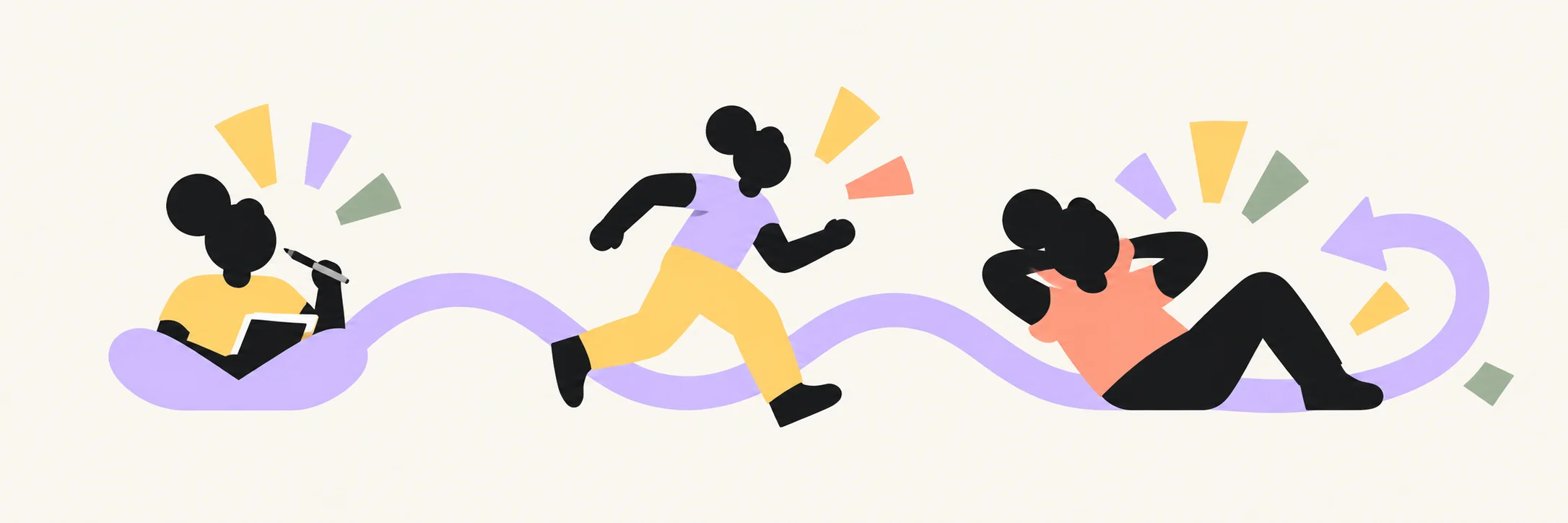
    Abstract illustration of a distant circular endpoint joined to three visible stepping stones and a generous final space.
    Definitions, research and practical advice

    01 · Definition

    What is deadline sensitivity?

    Deadline sensitivity describes how strongly the nearness of a deadline changes your attention, motivation or stress. Some people find a distant task difficult to engage with until its consequences feel immediate. Others become increasingly anxious as a deadline approaches.

    Urgency is not a sustainable treatment. Do not recommend sleep loss, financial penalties or invented crises to force action.

    02 · Research and evidence

    What does research say about deadline sensitivity?

    These sources address different parts of the topic. The study design and population matter when deciding what a finding can tell you about everyday support.

    Adult ADHD: evidence base, uncertainties and controversies

    2025 · Clinical evidence review · adults

    Findings: This review discusses attention, executive functioning and the varied presentation of adult ADHD. It provides a wider clinical context for difficulties with planning, remembering and directing action.

    Limitations: A clinical review does not establish this directory tag as a separate diagnosis or test the practical steps or products on this page.

    Read the research source →

    Metacognition guides intention offloading and fulfillment of real-world plans

    2024 · Observational study · 112 participants

    Findings: Participants reported upcoming intentions and their subsequent completion. Reminder setting was associated with confidence, importance and fulfillment of plans.

    Limitations: This was not a randomized ADHD intervention trial. An association does not establish that any specific reminder system causes better everyday outcomes.

    Read the research source →

    03 · Example explanation

    Video: ADHD motivation and distant deadlines

    Why People with ADHD Procrastinate (And 4 Brain-Based Ways to Get Started)

    By Dr. Tracey Marks

    Psychiatrist Tracey Marks discusses why a distant deadline may be hard to act on, the costs of last-minute pressure and ways to create an earlier starting cue. Treat the motivational framework as an explanation to consider, rather than a rule describing every person with ADHD.

    Watch on YouTube

    04 · Practical guide

    How to manage deadline sensitivity

    1. 1. Work backwards from the real deadline

      Identify what must be complete before the final submission.

      Example: A Friday application needs a reference letter requested on Monday.

    2. 2. Create an observable checkpoint

      Agree on a small deliverable before the deadline.

      Example: Send the first two answers to a trusted reviewer on Wednesday.

    3. 3. Protect a completion buffer

      Allow time for checking, technical problems and recovery.

      Example: Upload the application Thursday so Friday is available for corrections.

    These examples are illustrative. Adjust the steps and timings to your situation.

    When to adjust the approach

    Urgency is not a sustainable treatment. Do not recommend sleep loss, financial penalties or invented crises to force action.

    Evaluate one situation at a time. If the change adds more effort than it removes, simplify it or ask what is still making the task difficult.

    Other support to consider

    You can explore related approaches without adopting a whole new system. time blindness external accountability structured routines each address a different part of the problem. Choose the support that matches the difficulty you noticed.

    05 · Choosing a tool

    What to look for in a deadline sensitivity tool

    • Milestones distinct from the final due date
    • Time-zone clarity and adjustable reminders
    • Buffers, dependencies and an easy reschedule flow

    Start with what you already have. A tool earns its place when it makes your chosen approach easier to use.

    06 · Directory listings

    Apps and tools for deadline sensitivity

    Current directory listings with this tag, shown A–Z. A tag match is a starting point: check each listing for its features and fit. Paid Featured placement is separate from editorial Our Pick.

    Due logo

    Reminders that nag you until you actually do the thing

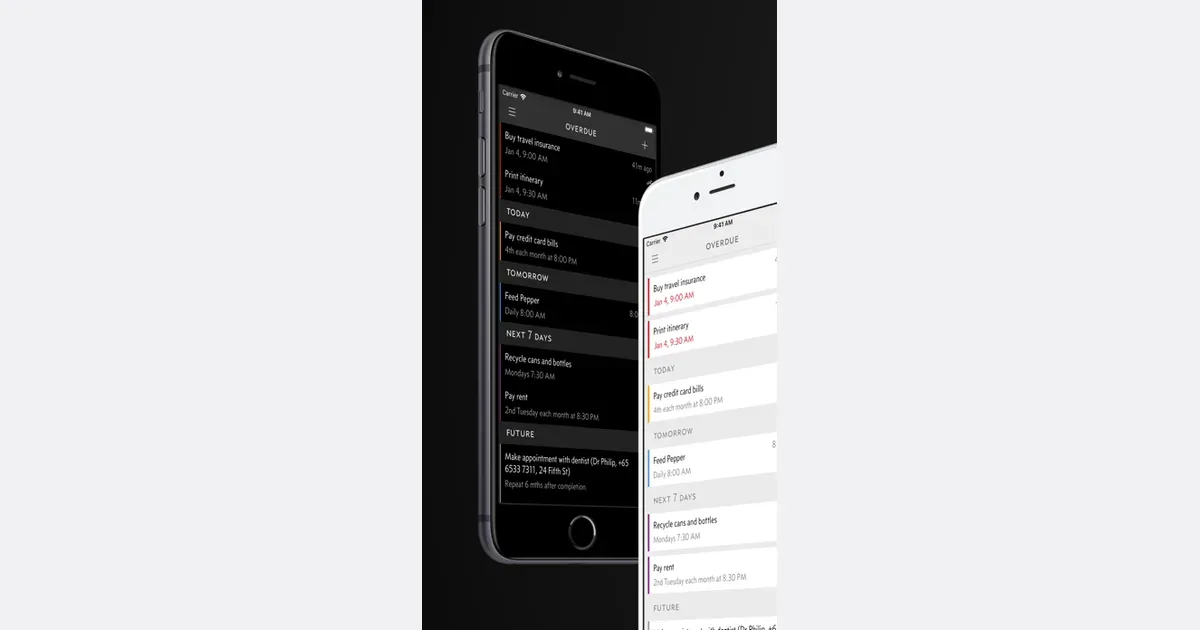
    Due is a reminder and reusable timer app for Apple devices, built around making an important prompt hard to lose among other notifications. Its distinguishing feature is Auto Snooze: an overdue reminder can notify you repeatedly until you complete it, reschedule it or turn off that behavior. That makes it useful when a single notification is easy to dismiss and forget. Creating a reminder is designed to be quick. Customizable quick-access times let you choose familiar times of day or shift a reminder forward without repeatedly scrolling through a picker. When the alert arrives, notification actions let you mark it complete or postpone it without opening the full app. You can use this for a small set of concrete follow-ups, such as returning a call or checking an item before leaving home. Recurring reminders include selected weekdays, intervals of days or months, and repetition based on completion. Due also provides countdown timers that can run together and be reused, such as a saved timer for tea or a regular household task. Reminders and timers can sync through iCloud or Dropbox between supported Apple devices. The iOS and Mac apps are separate purchases, and optional Upgrade Pass arrangements apply to additional feature upgrades; check the current store offering for your devices. Due is especially relevant when remembering to revisit a task matters more than categorizing a large project. Its documentation requires reminders to have a due date, so it is less suited to an undated backlog. Repeated alerts can become noise if every item is treated as urgent. Reserve persistent reminders for a few actions you intend to respond to, and set a realistic next time when you cannot act. The app can keep bringing a prompt back; it cannot decide which commitments deserve your attention.

    Helps with

    Apple
    Paid app; optional paid upgrades
    View
    Time Timer logo

    Visual countdown timer that makes time visible and tangible

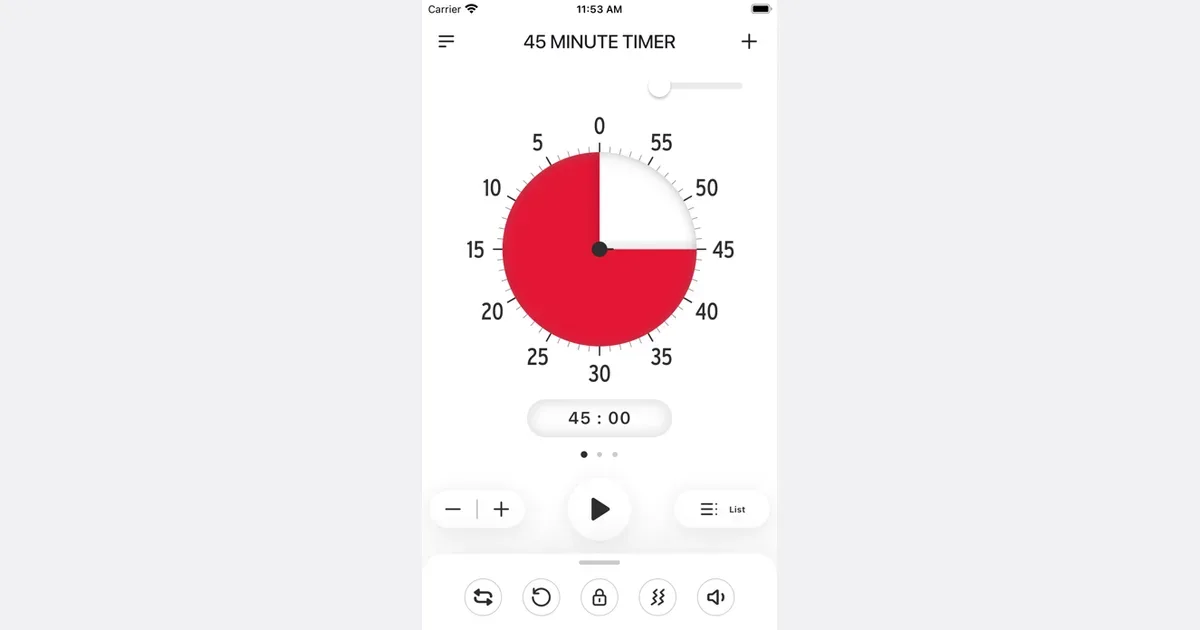
    Time Timer’s app represents remaining time visually, bringing the company’s visual-timer approach to a phone or another supported Apple device. It is intended to make a period of time easier to see at a glance, rather than requiring you to repeatedly interpret clock numbers. A practical first use is a short transition: a work block, a break or time to prepare before leaving. Choose a duration that matches the situation and place the screen where it is useful without demanding constant attention. The timer can act as a shared reference when explaining how long an activity will last, although different people may respond differently to a visible countdown. The app provides customizable visual timing and current store options that include a free version. Check the exact edition and device support before following a tutorial, because the Time Timer name is also used for physical timers and other products. Buying a physical timer should not be assumed to purchase an app upgrade, and an app listing should not be treated as a hardware offer. The visual approach may suit people who find an ordinary clock hard to translate into a sense of how much time remains. It still requires choosing a realistic duration and deciding what to do when the period ends. Try a low-pressure activity first if countdowns tend to create urgency. Current app access and upgrade prices are set through the relevant store; confirm any paid option before purchasing.

    Helps with

    AppleMobile
    Free and Paid Plans
    View
    See all matching tools →