
You need to leave for a meeting, but the document is half done. Try saving a short restart note before you switch tasks. Record where you stopped, what you will do next, and which file you need. This is a small handoff to your later self, rather than a demand to finish everything before leaving.
Write the return point before you stop
Choose one task you expect to pause today. At a sensible stopping point, write a note such as: “Budget draft: check the travel total in row 14; open the finance sheet.” Use a verb and a named place. “Work on budget” leaves too much for you to decide when you return.
Keep the note beside the work, or in one place you already check. Avoid building a new filing system for this exercise. If saving the thought itself feels hard, the guide to capturing quick notes offers a separate capture routine. Here, the note has one job: show how to resume work you have already begun.
Choose a cue for stopping
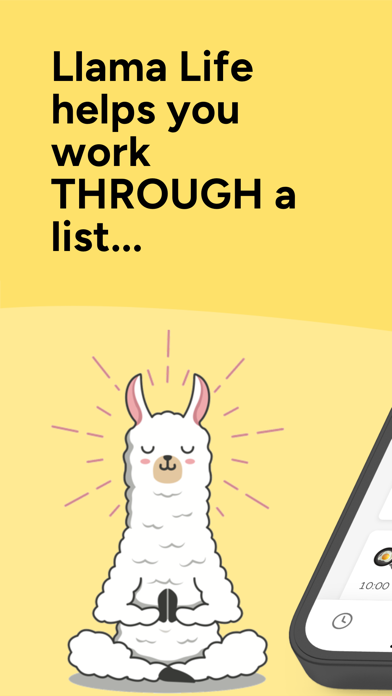
Llama Life shows the start and end time for each task on a list. Its official feature page describes that view. You could name the final item before a meeting “save draft and write return note.” Leave enough time to do that step before the meeting starts; treat your first estimate as something to adjust.
A visible end time does not decide whether you should stop. If the next task is fixed, such as collecting someone or joining a call, plan around it. If it is flexible, make a deliberate choice to keep working or pause. Do not let a growing timer decide for you.
Get monthly app discoveries and focus tips
Keep the restart note simple
Bear supports text, photos, tables, and to-do lists in one note. The official page describes these note formats. For this exercise, start with plain text: “Stopped at,” “Next action,” and “Open this.” Add only the details you will need to get back to the work.

Skip private client details in a note someone else might see. You can write a file name or a general label instead. If you share a device, use the same privacy care you use for the work itself.
Test one transition, then change one thing
On your return, read the note before opening unrelated tabs. Try the named action. If you still have to search for the file, add its exact location next time. If the note is too long to scan, shorten it. If you never look at it, move it closer to the place where you restart.
This is an organization exercise, not a tested ADHD treatment or a promise that switching will feel easy. A paper note is also a valid choice. You do not need both apps, and setting up a tool can take more time than writing the note itself.
Your next transition
- Pick one task you will pause today.
- Leave its exact next action and file location.
- Make room for saving and stopping before the next commitment.
- On return, check whether the note answered “what do I do now?”
Write one restart note before your next planned switch. Keep the parts that helped you resume and remove the rest.