






Browse apps

    Discover tools built for ADHD, neurodivergence, and focused work.

    Selected filters

    Showing 10 products on this page for your choices.
    Sort
    Show
    Forest logo

    Gamified focus app that grows trees while you work

    Forest is a focus timer that turns periods of attention into a growing virtual forest. You choose a session length and a tree, then let the tree grow while you work or spend time away from distracting apps. Over time, the collection gives those sessions a visible record rather than leaving them as an abstract total of minutes. A useful starting session might be a short period of reading, a household task or one small part of an assignment. Decide what you want to finish before starting the timer and put the phone somewhere that makes it easier to leave alone. Forest's tree-growth mechanism provides a concrete reason to stay with the session, while its stronger focus options can restrict distracting app use. Exact behavior and available tools depend on your device and settings. The app also offers focus statistics and ways to focus with friends. Its real-tree partnership with Trees for the Future is another part of the offering, with the current program's conditions described by Forest. It is sensible to treat that as an additional feature rather than equating each virtual session with a particular physical tree. Forest may suit people who enjoy a visual cue and a small game-like commitment around starting work. The tree-loss mechanism will not feel encouraging to everyone, especially when a session is interrupted for a legitimate reason. Begin with achievable sessions and necessary breaks instead of using a long timer as a test of willpower. It is primarily a way to frame time and reduce distraction; you will still need to decide what the next action is and whether the work needs to be broken into smaller pieces.

    Helps with
    AppleMobileBrowser
    Free core features / optional Plus subscription; pricing varies by platform
    View
    Horo logo

    Free, no-nonsense macOS menu bar timer

    Minimalist free timer for macOS that lives in the menu bar. Set a time, start it, done. No accounts, no subscriptions, no distractions — just a clean countdown you can see at a glance.

    Helps with

    Apple
    Free
    View
    Llama Life logo

    Calm, focused productivity with one-task-at-a-time approach

    Llama Life is a task timer designed to help you work through today’s list one item at a time. You give each task a duration, arrange the order and start the timer for the item at the top. The list shows an estimated finishing time, making the size of the day more visible than a collection of untimed checkboxes. This approach can be useful for a morning routine, an administrative catch-up or a study session. For example, you could allow ten minutes to clear email, twenty minutes to draft a document and five minutes to prepare for a call. The timer provides a boundary for each activity, while the projected end time helps you notice when your plan has grown beyond the time available. If you continue after the timer ends, overtime records the extra time. Preset lists save sequences you repeat, and a task-breakdown feature can suggest smaller steps and estimates. Optional chimes bring attention back during a task, while different alarm styles let you choose a quiet visual cue or a more persistent signal. Colors, emoji and soundscapes offer ways to make the working view more recognizable or comfortable. A random-task option can help when choosing is the immediate obstacle. Llama Life is best understood as a companion for execution rather than the place to design every long-term project. It can complement a broader task system, including importing tasks from Todoist. The estimates remain estimates, and a timer is a prompt to check in rather than proof that you should already be finished. Begin with a short sequence you know well, adjust durations after trying it, and choose alerts that you will notice without making the session feel crowded.

    Helps with

    AppleMobile
    $6/month / $39/year
    View
    Noisli logo

    16 ambient sounds with custom mixer for focus and relaxation

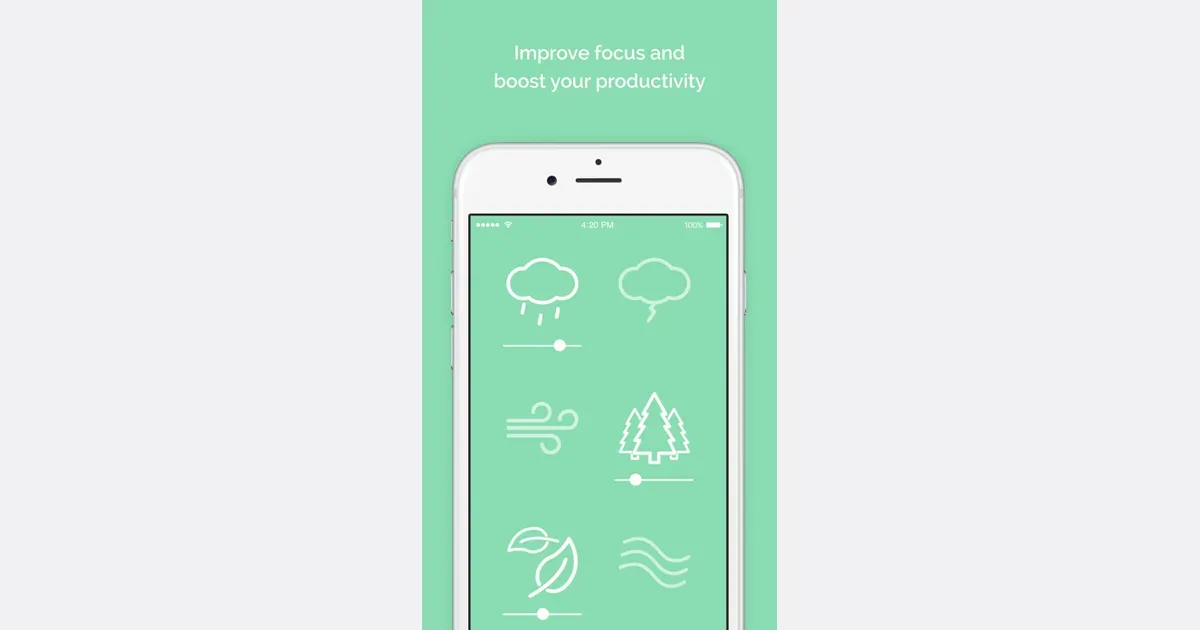
    Noisli is an ambient-sound mixer with a timer and a simple writing space. It lets you combine sounds such as rain, wind and a café atmosphere, then adjust each layer's volume. The result can be a background for reading, writing or a routine task when music or a completely silent room feels distracting. You can begin with a suggested playlist or build a combination yourself. Favorites make it easier to return to a useful mix instead of rebuilding it each time. Paid plans add tools such as shuffle, which moves between combinations, and oscillation, which gradually varies individual sound levels. These changes can provide variety without requiring you to keep choosing another track. The web timer can define a short work period, and the more advanced session controls support work and break cycles. Sounds and timing are connected, so an ending session can also stop the audio. A separate text editor supports Markdown and text export, offering a place to draft without opening a larger document workspace. The free web plan has limits on daily streaming, available sounds and saved favorites. Pro expands those allowances and adds timer and editor features, while Business adds team administration. Noisli also offers a browser extension and separate mobile apps with offline sounds; check the edition you intend to use rather than assuming the web and mobile feature sets are identical. Noisli may suit someone who wants direct control over a small sound mix and a gentle cue to begin. Start with a simple combination and a manageable session. If the sound itself becomes distracting, change it or turn it off; the useful outcome is a more comfortable workspace, not a particular listening streak.

    Helps with

    BrowserAppleMobile
    $12/month
    View
    Pomofocus logo

    Clean web-based Pomodoro timer for distraction-free focus

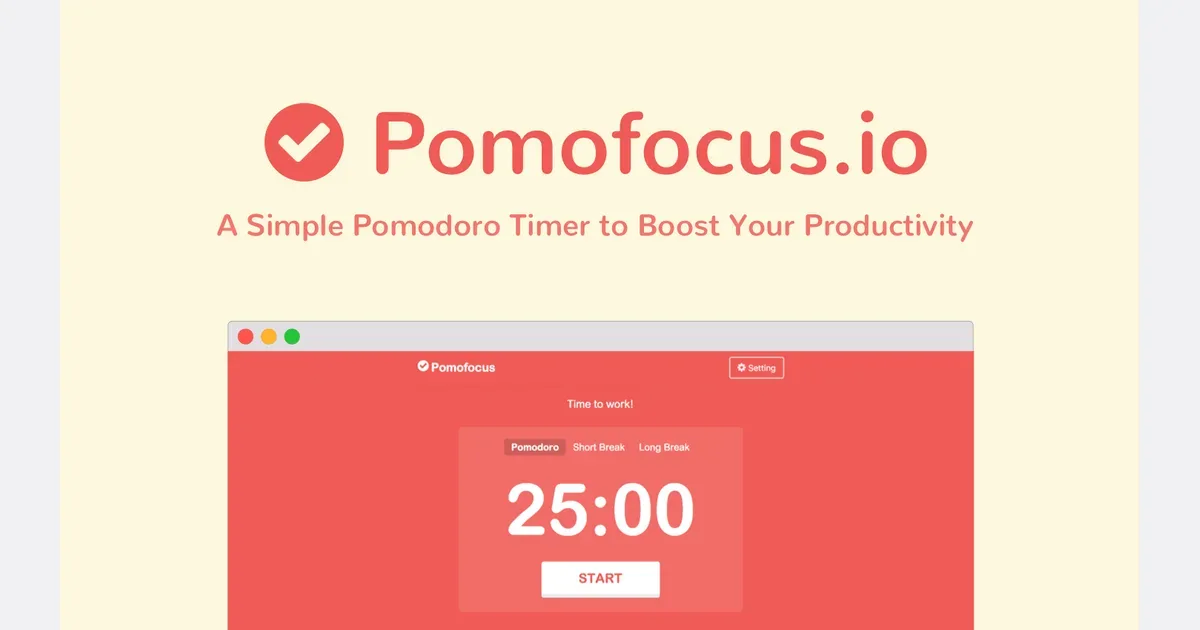
    Pomofocus is a browser-based Pomodoro timer with a compact task list. It combines a visible countdown with a decision about what you will work on next, making it useful for a study block, writing session or another activity that benefits from a clear beginning and stopping point. It works in desktop and mobile browsers, and the official site also provides desktop downloads. The basic workflow is straightforward: add a task, estimate how many work intervals it will take, select it and start the timer. Work sessions alternate with short breaks and a longer break after several rounds. You can change the interval lengths, alarm sounds and background sounds, so the traditional 25-minute work period does not have to be the right duration for every task. The task list includes an estimated finish time, and reports show recorded focus time across days, weeks and months. Templates reduce repeated setup for tasks you perform regularly. Premium adds project tracking, yearly reports, CSV downloads, additional templates and integrations, including importing tasks from Todoist and sending timer events to other services through webhooks. It also removes advertising. For a practical first session, choose one small action such as reading a section or drafting a paragraph. Estimate loosely, start a manageable interval and reassess at the break. The estimate is useful feedback about the work, not a promise that you should finish by an exact minute. Pomofocus may suit people who want a simple timer beside their work rather than a full planning system. It does not choose priorities or complete the task breakdown for you. Keep the list short enough to act on, check that alarms work on your device, and adapt the work and rest periods to the activity.

    Helps with

    Browser
    Free
    View
    Session logo

    Deep work timer for Mac with website blocking and reporting

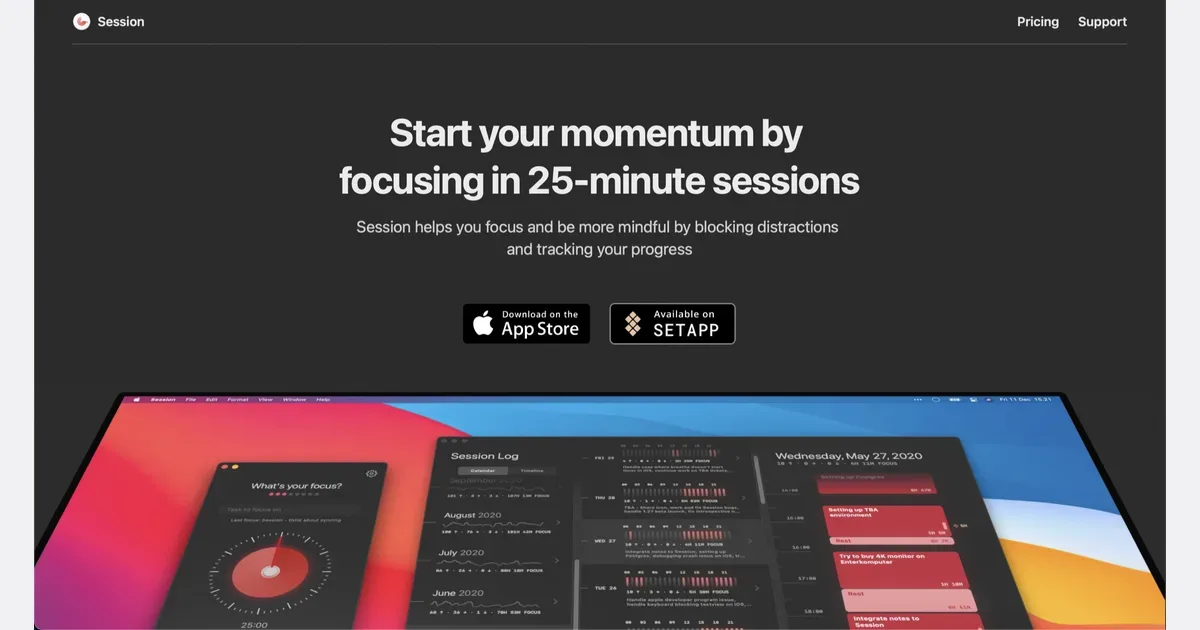
    Session is a focus timer for Mac, iPhone and iPad that pairs a timed work period with an explicit intention. You choose what you want to work on, start a session and use the timer as a boundary around that activity. It may suit people who want more context and reflection than a plain countdown provides. The workflow includes an optional breathing moment before focus, notes during the session and a review afterward. Session categories help distinguish types of work, and analytics show completed sessions across days, weeks and months. A calendar view can place those records alongside scheduled events, making it easier to compare plans with how time was actually spent. Work and break durations are adjustable. When a work interval ends, the timer can continue into overtime instead of forcing an immediate stop, with an option to start breaks automatically. Visual changes and configurable sounds indicate the current phase. Gentle reminders can bring the intended task back to attention without requiring the timer window to remain in the foreground. Session also offers app and website blocking during focus, with platform-specific setup, and controls that can discourage working through a break. Its supported desktop browsers include Safari, Chrome, Brave and Edge. A Pro Slack integration can update status around sessions. Progress syncs between supported Apple devices through the service, so check the current account, subscription and data-handling details before choosing it for work. For a first session, use a small intention such as reviewing one section or drafting a short reply. At the end, note what changed and choose whether to continue, pause or rest. Session can provide a repeatable structure and a record of effort, but the timer should remain adjustable to the task and your energy rather than become another target you must meet.

    Helps with

    Apple
    Free trial / $9.99/mo or $49.99/yr
    View
    Structured logo

    Visual timeline planner that shows your day as a clear schedule

    Structured is a daily planner that displays tasks on a visual timeline. It brings to-dos and scheduled commitments into one picture, helping you see how a day might unfold instead of keeping a separate calendar and an unbounded task list. The timeline is the central organizing idea, with supported options for viewing the wider week or month. A practical first plan might include existing meetings, a few work periods and ordinary transitions such as lunch or travel. Giving a task a duration makes its cost visible: preparing a presentation takes a piece of the day even if it is not an appointment with someone else. This can make it easier to notice when the proposed plan is fuller than the hours available. Structured offers task creation, calendar-related integration, notifications and widgets, with device and plan differences described in its help center. Its visual approach may be useful for people who prefer seeing the order of activities rather than choosing from a list throughout the day. Begin with the platform and features you actually use, especially if synchronizing information across several devices is important. The trade-off is maintaining a plan when real life moves differently. A neat timeline can imply more certainty than a task estimate deserves, so leave space between demanding activities and revise the plan when needed. Start with a manageable part of the day rather than scheduling every minute. Structured can help make time and sequence concrete, while deciding what to postpone or leave out remains an important part of the planning process. A simple checklist may be easier when your day has very little fixed timing.

    Helps with

    Apple
    Free / $3.99/mo
    View
    Superhuman logo

    Fastest email client with AI drafting and smart categorization

    Superhuman Mail is an email product designed to help people work through a busy inbox and manage follow-ups. It sits within the broader Superhuman product family, so it is worth checking that you are comparing the Mail offering rather than assuming every product under the brand serves the same purpose. Its supported workflows center on organizing messages, responding and keeping track of conversations that need another action. A practical first use is to separate messages that need close attention from lower-priority traffic. Split Inbox can create views for a team, important contacts or particular tools, making those messages easier to find without repeatedly scanning the full inbox. When sending a message that needs a reply, a follow-up reminder can bring the conversation back at an appropriate time. The current offering includes AI-assisted organization and drafting, as well as a team workflow for sharing context around an email. Its Email Assistant works with supported Gmail or Outlook environments. Before enabling automated behavior, review the permissions, account compatibility and exact actions the product will take. Drafting a response and sending one are meaningfully different decisions. Superhuman Mail may suit people who spend a substantial part of the day handling email and want to invest in a more deliberate workflow. It offers less value if a basic inbox already meets your needs. Begin with one recurring problem, such as missed follow-ups or important messages getting buried, and judge whether the tools improve that experience. A faster inbox process is helpful only when it leaves enough attention for the work the messages are about.

    Helps with

    BrowserAppleMobile
    $30/month Starter / $40/month Business / Custom Enterprise
    View