
‹ Task Manager
    StickyCue: Lock Screen Cues logo

    StickyCue: Lock Screen Cues

    Managed by developer

    Task Manager

    StickyCue pins important tasks to your Lock Screen as a Live Activity card that stays until you finish, so reminders are harder to swipe away and forget.

    StickyCue is an anti-forgetting reminder app for iPhone and iPad, described as built for busy minds and anyone who struggles with standard reminders that get mindlessly swiped away.

    About StickyCue: Lock Screen Cues

    Managed by developer

    StickyCue is an anti-forgetting reminder app for iPhone and iPad, described as built for busy minds and anyone who struggles with standard reminders that get mindlessly swiped away. It pins a high-priority cue to your Lock Screen and Dynamic Island as a Live Activity card that stays until you actually finish the task.

    That helps when out-of-sight reminders disappear. Completing a cue takes a deliberate 1.5-second hold, so it is harder to dismiss by accident. Departure Shield can fire staged countdown alerts (for example 60 minutes, 15 minutes, and departure time), and optional repeating sound and haptic chimes can continue until you acknowledge them.

    The listing mentions everyday uses such as parking meters, flights, medication, time-sensitive bills or boiling water. Cue Renewal helps keep unfinished cues visible in Live Activities beyond the initial eight-hour period. StickyCue stores cues on your device and does not require an account.

    Who it’s for

    People who swipe away reminders and then forget them — including anyone juggling time-sensitive tasks such as leaving on time, bills, or other must-not-miss cues. It is a reminder app, not a medical or medication-management product.

    What makes it special

    Cues stay on the Lock Screen and Dynamic Island until you finish them, with a 1.5-second hold to complete, optional escalating chimes, Departure Shield countdowns, and Cue Renewal after the first eight hours.

    Approach to privacy

    App Store privacy label: Data Not Collected. No account is required. Cues and notes are stored locally on your device. The developer states the app is offline and does not use analytics or ad trackers. Apple handles purchases.

    StickyCue: Lock Screen Cues screenshots

    Screenshot 1 of 5

    Key features

    • Lock Screen sticky cards

      Pin a high-priority cue as a Live Activity on the Lock Screen and Dynamic Island until the task is finished.

    • Hold to complete

      A 1.5-second hold is required to mark a cue done, which reduces accidental dismissal.

    • Departure Shield

      Multi-stage countdown alerts, such as 60 minutes, 15 minutes and departure time, help you leave on schedule.

    • Chimes and Cue Renewal

      Optional repeating sound and haptic chimes continue until acknowledged. Cue Renewal helps keep unfinished cues visible beyond the initial eight-hour Live Activity window.

    StickyCue: Lock Screen Cues pricing, explained

    Free and Paid Plans · Free; USD 2.99/month or USD 39.99 once

    Pricing has not been verified by our editors.

    Check current pricing on StickyCue: Lock Screen Cues’s website

    StickyCue: Lock Screen Cues FAQ

    Why use StickyCue instead of a normal reminder?

    Standard notifications can disappear after one swipe. StickyCue pins a cue to your Lock Screen as a Live Activity and requires a 1.5-second hold to mark it done, so it is harder to dismiss by accident and forget.

    Do I need an account, and where is my data stored?

    No account is needed. Cues are stored locally on your device. The App Store privacy label is Data Not Collected.

    What if a Lock Screen card disappears after several hours?

    Live Activities have an initial eight-hour period. Cue Renewal, with a ready-made shortcut and in-app guide, helps keep unfinished cues visible beyond that window.

    All StickyCue: Lock Screen Cues tags

    Platforms

    iOS

    Best for

    Daily RoutinesWork / ProfessionalHousehold / Chores

    Experience

    Low Setup FrictionForgiving (No Punishment)No Guilt Mechanics

    StickyCue: Lock Screen Cues alternatives

    Explore all StickyCue: Lock Screen Cues alternatives →
    Airtable logo

    Visual database that works like a spreadsheet but thinks like a database

    Airtable is a configurable workspace for organizing structured information and turning it into useful workflows. Its tables hold records with different fields, so a project can track a status, date, attachment and related information together. It suits work that needs more context than a checklist but does not justify building a custom system from scratch. For example, a content team could keep each article as a record, connect it to a campaign and track who is responsible for the next step. Different views can make the same underlying information useful for different jobs, rather than requiring a separate spreadsheet for each person. Forms provide a way to collect information consistently, and automations can move routine work along after a defined event. Airtable's current platform also includes AI-assisted app building and agents. These expand what a workspace can do, but the foundation remains deciding what information belongs in the system and how people will use it. Before adding automated steps, establish clear field names and a simple process that can be understood by someone else. The main trade-off is setup and ongoing maintenance. A flexible base can become difficult to follow if every exception creates another field, view or automation. Start with one small workflow and a handful of essential properties, then test it with real examples. Airtable may fit project trackers, inventories and shared operational records particularly well. A simpler task app may be easier when all you need is a short list of next actions. Check current plan limits and collaboration arrangements before making it a team's central workspace.

    Helps with
    AppleWindowsMobile
    Free; from USD 20/user/month (billed annually)
    View
    Nulma logo

    Your daily routines, visible right when you need them

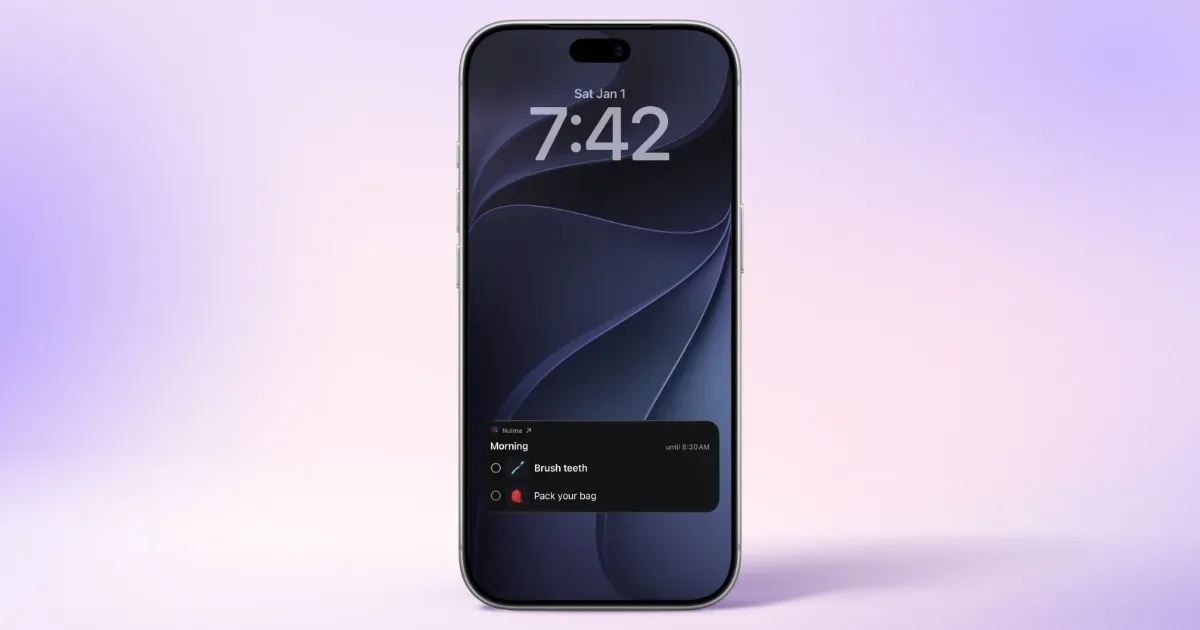
    Your day is full, your head doesn't have to be. Nulma turns the parts of everyday life that keep coming back into simple routines. When it's time, the right steps are ready. See what matters now, what comes next, and move through your day one step at a time. MADE FOR REAL LIFE • Build routines for mornings, getting out the door, work, school, evenings, and more. • Break each routine into easy-to-follow steps, with optional symbols to make them clearer. • Choose the days and times that work for you. With Premium, you can schedule the same routine more than once a day. • See your current and upcoming routines without digging through a long to-do list. • Get notified when a routine begins, so you know when it's time to get started. • Check off steps from Live Activities, Home Screen widgets, or Apple Watch. Keep an eye on what's next with Lock Screen widgets and your Apple Watch face. • Bring scheduled Apple Reminders into your routines and complete them alongside your steps with Premium. • Ask Siri what's next or open a routine with a shortcut. STRUCTURE WITHOUT THE PRESSURE Nulma is for busy parents, students, professionals, people with ADHD, and anyone with a lot on their mind. Some days go according to plan. Others don't. Skip a step when plans change and pick things up again when you're ready. No streaks to protect. No pressure to do everything perfectly. Just a little more structure when you need it. PRIVATE BY DESIGN Your routines are personal. They should stay that way. Nulma stores your routines on your device and can sync them securely through your private iCloud account. Your routine content isn't sent to us, and we can't access it. No account to create. No ads. No tracking across apps. Just your routines, kept where they belong: with you. START SIMPLE Get started for free with up to three active routines. Upgrade to Premium for unlimited routines, more flexible scheduling, and Apple Reminders integration. Less to remember. More room to focus.

    Helps with

    Apple
    Free and Paid Plans
    View
    Capacities logo

    Object-based notes that organize naturally for ADHD brains

    Capacities is a personal knowledge app that organizes notes around the things you think about: people, books, projects, meetings and ideas. Each item is an object with its own content and properties, connected to other objects through links. A daily note gives you somewhere to capture thoughts before deciding how much structure they need. For example, you could write meeting notes in your daily workspace, link the people involved, and connect the meeting to a project. The person's page then becomes a way back to related conversations, while the project brings together its supporting material. Backlinks and network views help you follow those relationships without maintaining a separate folder path for every note. Tags can cut across object types when several topics belong together. Custom object types let you decide which details matter. A book might have an author and reading status; a project might have dates, links and a completion status. Templates provide a repeatable starting point, and table, list, gallery and card views offer different ways to browse the same material. Capacities Pro also includes contextual task management, with tasks linked to objects and collected into an inbox, Today and scheduled views. Capacities may suit researchers, students and independent professionals who want connected reference material with a visual structure. Desktop, web and mobile apps support access across devices, although it is worth trying your actual capture and editing routine on each device. Start with a few useful object types and one real project: designing an elaborate taxonomy can create more decisions than it removes. If your main need is a short reminder list, test whether the knowledge-management layer adds enough value for you.

    Helps with

    BrowserAppleWindows
    Free and Paid Plans
    View
    Notion logo

    All-in-one workspace combining notes, tasks, and databases

    Notion is a flexible workspace for combining documents, notes and structured information. A page can contain text, checklists, images and other blocks, while databases organize collections of pages with properties such as dates and status. This makes it possible to keep a project's background, working notes and action tracking together rather than spreading them across unrelated files. For example, a small project workspace could begin with a brief, a meeting-notes page and a task database. Each task can open into its own page for context, links and decisions. The same underlying collection can be presented through different views, so a list for everyday work and a calendar for dates do not need separate copies of the information. Filters and sorting can narrow a view to the items relevant to a particular moment. Notion also supports collaboration through shared pages, comments and mentions. Templates provide starting structures, and documents can include collapsible sections or a table of contents to keep longer material navigable. These capabilities suit people who want to connect reference material with ongoing work, or teams that need a shared place for project knowledge. The trade-off is that someone has to decide how the workspace should function. A sophisticated dashboard can become a project of its own, and an attractive template may still be a poor match for your actual routine. Start with a page you will use today and one small database, then add properties or views only when a real need appears. Notion is most useful when the structure makes information easier to find and act on; it may feel excessive if you only want a fast, ready-made checklist. Check current plan and sharing limits before building a team process around it.

    Helps with

    BrowserAppleMobile
    Free; from USD 10/member/month (billed annually)
    View

    Side by side