
‹ Task Manager
    Neumii: ADHD Burnout Toolkit logo

    Neumii: ADHD Burnout Toolkit

    Managed by developer

    Task Manager

    Conquer burnout, overwhelm, and executive dysfunction. Neumii cuts through task paralysis by breaking overwhelming tasks into one gentle, human step at a time. No login, no data tracking.

    Overcome task paralysis.

    About Neumii: ADHD Burnout Toolkit

    Managed by developer

    Overcome task paralysis. Go from overwhelmed to done, guilt-free.

    Break through task paralysis and executive dysfunction with Neumii - the gentle, zero-guilt ADHD task planner and focus app designed specifically for neurodivergent minds.

    Struggling with ADHD, autism, brain fog, or overwhelming choice fatigue?

    Traditional to-do apps and habit trackers leave you feeling guilty for falling behind. Neumii is a smart task manager that works with your brain, not against it, turning daunting goals into easy micro-steps so you can get unstuck and build daily momentum.

    Whether you need a reliable ADHD organizer to start a chore, pick what to do next, or ground yourself during burnout, Neumii provides low-friction tools to navigate everyday overwhelm.

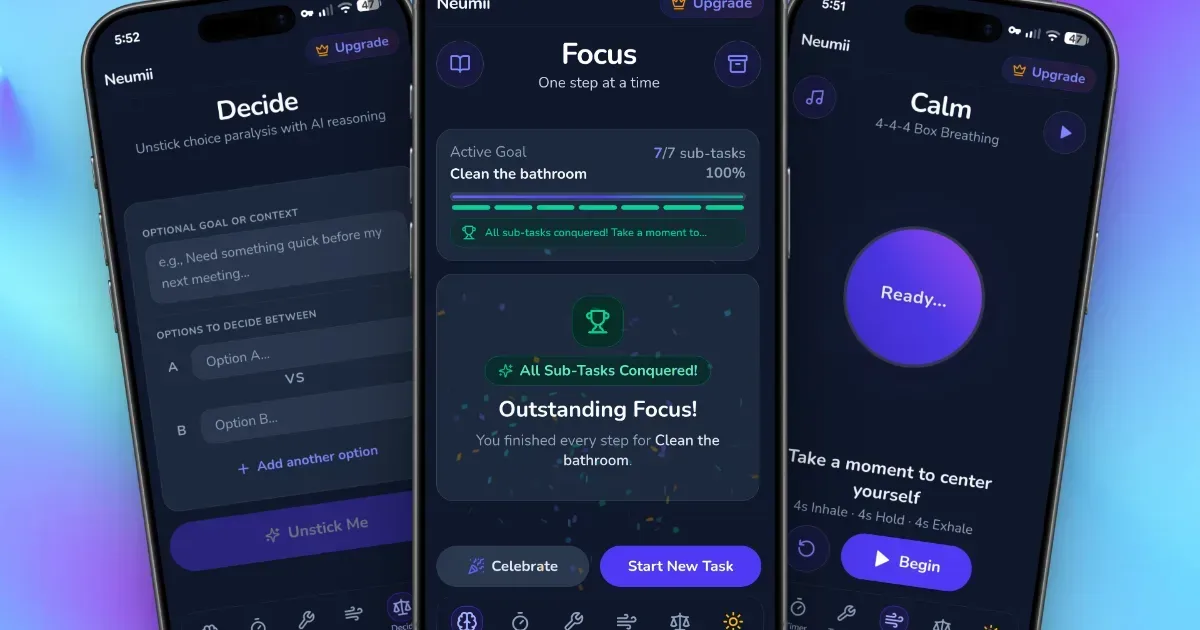
    Key Features to Help You Get Unstuck • Instant Task Breakdowns: Break down big projects instantly with smart task breakdowns, stopping executive dysfunction before it starts by turning "clean the kitchen" into tiny, manageable steps. • Decide Tool for Choice Paralysis: Eliminate choice paralysis forever using the Decide tool, which selects your next task based on your current energy levels so you can stop staring at your list. • Calm & Sensory Regulation: Regulate your nervous system fast with built-in box breathing on the Calm screen, helping you reset when sensory overload or anxiety strikes. • Focus Toolbox: Bypass procrastination effortlessly using a comprehensive focus tracker and toolbox, packed with practical, neurodivergent-friendly strategies to build daily momentum. • Zero-Guilt History: Celebrate wins without shame using a zero-guilt history tracker and Notebook that drops harsh red streaks and overdue penalties.

    Free vs.Neumii Pro

    Neumii Free: • Essential daily task tracking for everyday routines • Up to 5 task breakdowns per week to keep you moving • Full access to the Calm screen (box breathing) and Toolbox (focus tips) • Full access to all Pro features free for 14 days upon download (cancel anytime before the trial ends to keep Neumii Free forever!)

    Neumii Pro: • Unlimited task breakdowns to conquer any project without limits • Complete access to the Decide tool to wipe out choice paralysis on demand • Full access to your complete Notebook and victory History to track progress on your terms • Flexible monthly or annual plans available after your 14-day free trial • Cancel anytime with zero hassle

    Built for Neurodivergent Brains

    Neumii was created specifically for adults with ADHD, AuDHD, autism, executive dysfunction, or burnout.

    • Zero Guilt: No red warning banners, failing streaks, or aggressive notifications. • Low Friction: Clean, minimal UI designed to minimize cognitive load and sensory distraction. • Dopamine-Friendly: Designed to help you initiate action effortlessly and celebrate small victories.

    Download Neumii today to experience a calm, supportive, and gentle way to manage your daily life!

    Who it’s for

    Anyone suffering from executive dysfunction, task paralysis, decision fatigue, burnout or overwhelm.

    What makes it special

    For when your brain is too fried for a normal to-do list. Built from lived experience with ADHD and burnout, Neumii drops the guilt and breaks overwhelming tasks down into one tiny, human-sized step at a time.

    Approach to privacy

    Your tasks stay on your device. No login, no account, no tracking. Your data is yours, period.

    Neumii: ADHD Burnout Toolkit screenshots

    Screenshot 1 of 5

    Key features

    • Smart Task Breakdowns

      When an overwhelming wall of work causes task paralysis, Neumii uses AI to slice big tasks into one tiny, manageable step so you can finally start moving.

    • Local Privacy First

      No logins, no accounts, and no data tracking. Your personal tasks stay entirely secure and private right on your own device.

    • Burnout-Aware Design

      Built by someone who gets executive dysfunction. No guilt-tripping notifications, harsh red warnings, or streaks. Just a quiet, low-pressure space.

    • Zero-Friction Flow

      A clean, distraction-free interface designed to reduce cognitive load and decision fatigue the moment you open the app.

    • Step-by-Step Guidance

      Focus on just one single action at a time instead of looking at an impossible mountain of work, helping you build momentum without the overwhelm.

    Neumii: ADHD Burnout Toolkit pricing, explained

    Free and Paid Plans

    Pricing has not been verified by our editors.

    Check current pricing on Neumii: ADHD Burnout Toolkit’s website

    Neumii: ADHD Burnout Toolkit FAQ

    What is in Neumii’s Calm screen?

    The Calm screen includes a box breathing exercise. The developer lists it as available in the free version.

    All Neumii: ADHD Burnout Toolkit tags

    Platforms

    Android

    Best for

    Household / Chores

    Experience

    ADHD-DesignedLow Setup FrictionNo Guilt Mechanics

    Neumii: ADHD Burnout Toolkit alternatives

    Explore all Neumii: ADHD Burnout Toolkit alternatives →
    Amazing Marvin logo

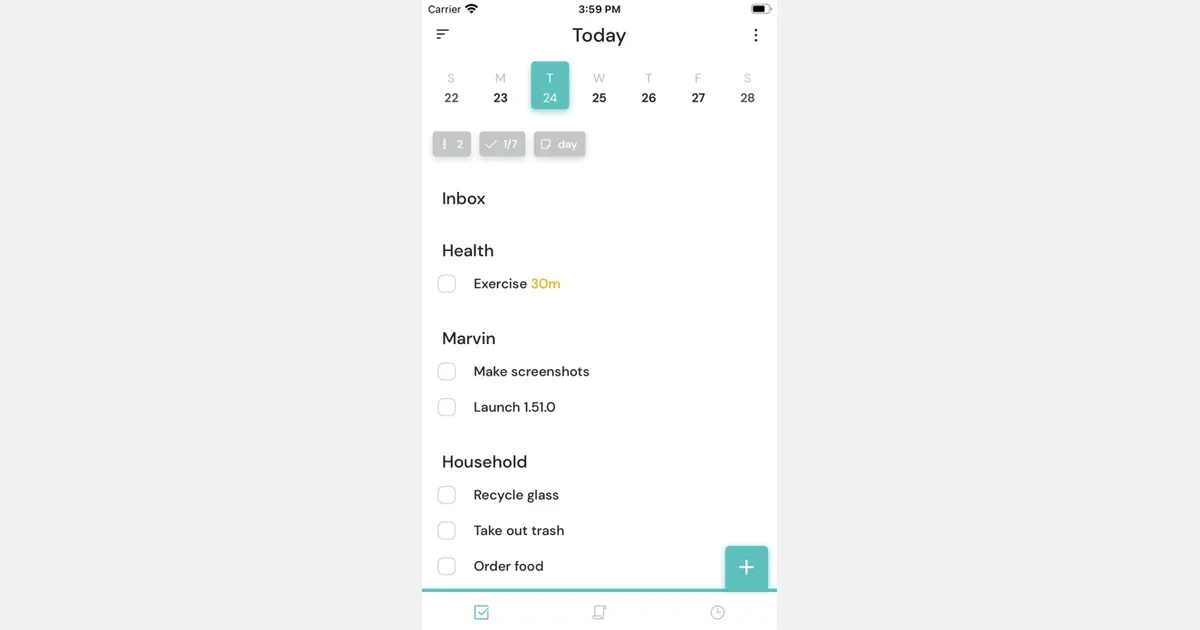
    The most customizable task manager built for ADHD

    Amazing Marvin is a customizable task manager and daily planner for people who want to change how their system works as their needs change. It combines a master task list with projects, categories, recurring tasks, daily planning and optional tools for starting and finishing work. Rather than requiring one productivity method, it lets you enable individual features and leave the rest out of view. A practical starting workflow is to capture everything in the master list, separate projects from individual actions, and choose a small set of tasks for today. Duration estimates and capacity planning help you compare that selection with the time available. Planning a day and setting a deadline are separate decisions: you can intend to work on something today without pretending it is due today. Smart lists and labels provide different ways to surface the same work. Marvin also addresses the moment when a list feels too difficult to approach. Super Focus Mode reduces the display to one task, the Procrastination Wizard helps you examine a sticking point, and task breakdown makes a large item more concrete. Timers, time tracking, habits and rewards are optional additions. Its web, desktop and mobile apps support capturing away from your desk and returning to a larger planning view later. The flexibility is useful if a rigid planner repeatedly stops fitting your life, but it creates setup decisions of its own. Start with one project and a short today list before adding strategies. Review which features you actually use, and disable those that add upkeep. Marvin provides structure and prompts; choosing realistic commitments and returning to the list still require an ongoing habit.

    Helps with
    BrowserAppleMobile
    $96/year
    View
    Amplenote logo

    Notes and tasks combined with Eisenhower matrix prioritization

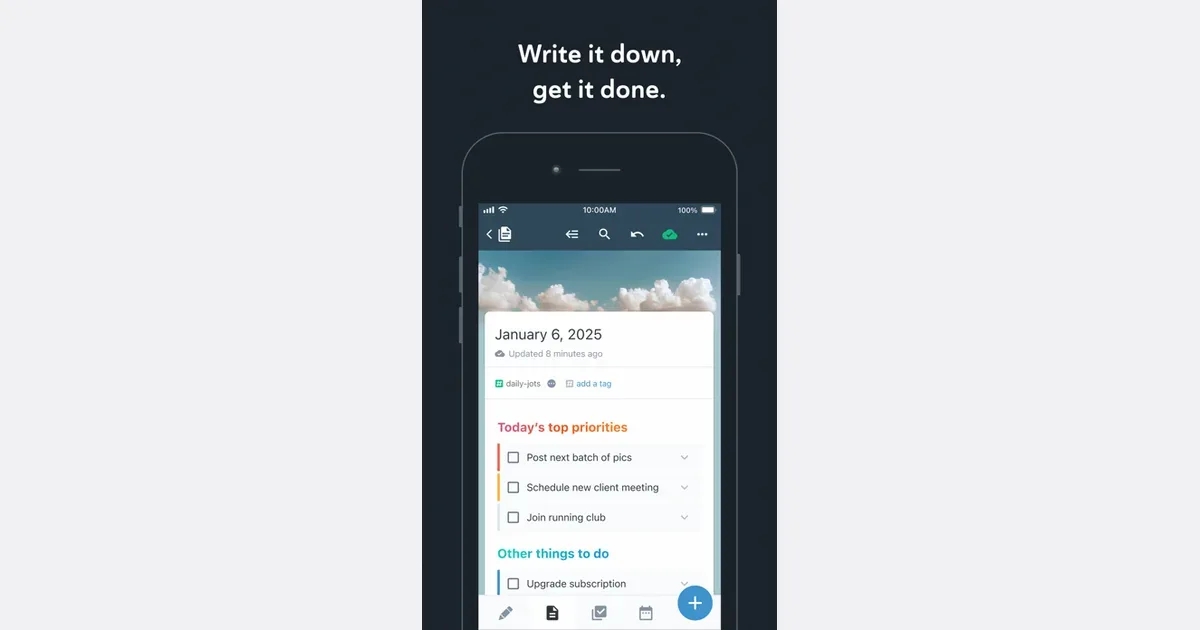
    Amplenote brings notes, tasks and calendar planning into one workspace. It is intended for people whose actions emerge from meeting notes, research, daily thoughts or project ideas, and who would prefer to keep the supporting context beside the work. Its capture, review and planning tools offer a path from a quick thought to a scheduled next step. You can begin by collecting short entries in Jots, then move useful material into longer notes. Tasks can live inside those notes rather than being copied into a separate task manager. Tags, links and search help you find related information again, while the Tasks and Calendar areas provide a more focused view of what needs doing. For example, a meeting note can hold the discussion and its follow-up actions, with selected actions brought into your plan for the week. The current product also includes dashboards for goals and completed work, optional mood tracking, and AI assistance through Ample Agent Pro. These additions extend the core notes-to-action workflow with help organizing material, refining text and identifying possible next actions. Availability depends on the chosen plan and feature, so check the current offering before building a workflow around an advanced capability. Web, desktop and mobile access support capturing and reviewing in different settings. Amplenote may fit someone who loses track of tasks when they become separated from the notes that explain them. The tradeoff is learning how notes, tags, tasks and calendar planning relate to one another. A small project is a better first experiment than importing every archive and designing a complete life system at once. Keep the capture route simple, reserve a regular review time, and assess whether the combined workspace reduces the number of places you need to check.

    Helps with

    BrowserAppleMobile
    Free; $5.84–20/month (billed annually)
    View
    Any.do logo

    Free task manager combining to-dos, calendar, and reminders

    Any.do is a task-management app with personal lists and collaborative workspaces. It brings tasks, reminders and calendar context together, while shared boards give teams a place to assign responsibility and track progress. The personal and team offerings serve different needs, so begin with the kind of coordination you actually require. For personal use, a useful setup might have one list for household responsibilities and another for work administration. Capture an item when it occurs to you, then make a separate decision about when it needs attention. A clear task such as booking an appointment is easier to act on than a broad heading such as getting organized. Shared lists can make a recurring grocery shop or household handoff visible to the people involved. The team workspace adds boards, owners, due dates and automation around shared work. Any.do's current offering also includes connections with AI agents, allowing supported assistants to create or update work in the same system. Those capabilities are optional parts of the workflow; the useful foundation is still an agreed place for tasks and a clear understanding of what each status means. Any.do may suit someone who wants a familiar task-list approach that can extend into collaboration. The main trade-off is matching the plan and workspace to the job. A small private list does not need the same structure as a team process. Start with a few lists, keep reminders selective and review unfinished work before adding more features. Check current plan and device support for the specific calendar, sharing and automation options you intend to use.

    Helps with

    BrowserAppleMobile
    Free and Paid Plans
    View
    Nulma logo

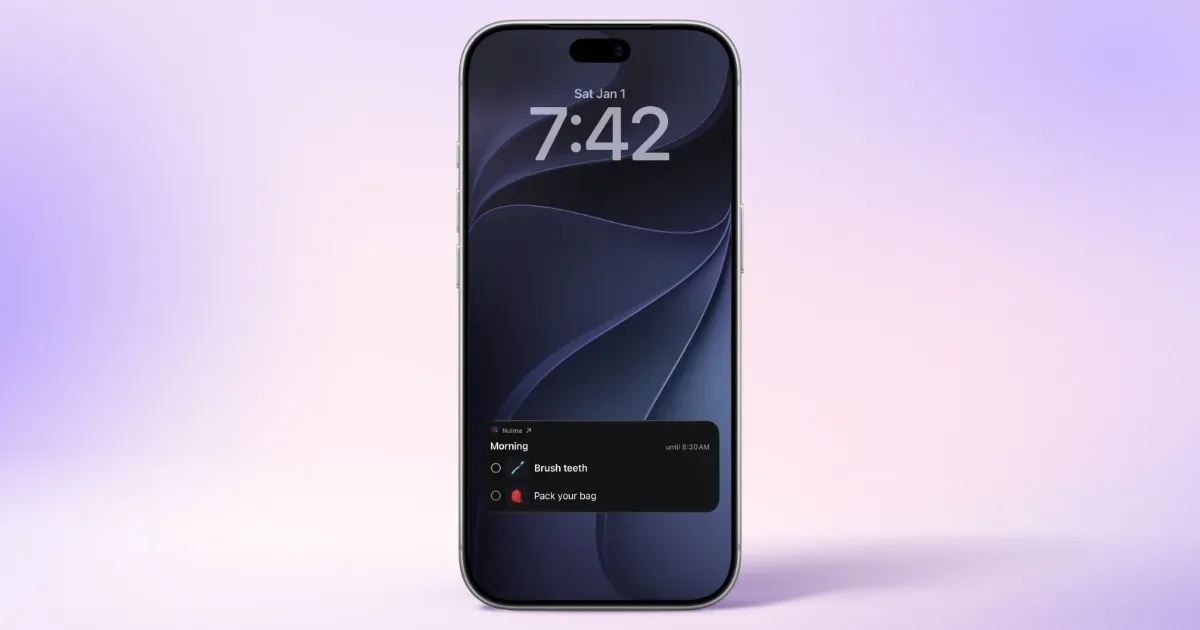
    Your daily routines, visible right when you need them

    Your day is full, your head doesn't have to be. Nulma turns the parts of everyday life that keep coming back into simple routines. When it's time, the right steps are ready. See what matters now, what comes next, and move through your day one step at a time. MADE FOR REAL LIFE • Build routines for mornings, getting out the door, work, school, evenings, and more. • Break each routine into easy-to-follow steps, with optional symbols to make them clearer. • Choose the days and times that work for you. With Premium, you can schedule the same routine more than once a day. • See your current and upcoming routines without digging through a long to-do list. • Get notified when a routine begins, so you know when it's time to get started. • Check off steps from Live Activities, Home Screen widgets, or Apple Watch. Keep an eye on what's next with Lock Screen widgets and your Apple Watch face. • Bring scheduled Apple Reminders into your routines and complete them alongside your steps with Premium. • Ask Siri what's next or open a routine with a shortcut. STRUCTURE WITHOUT THE PRESSURE Nulma is for busy parents, students, professionals, people with ADHD, and anyone with a lot on their mind. Some days go according to plan. Others don't. Skip a step when plans change and pick things up again when you're ready. No streaks to protect. No pressure to do everything perfectly. Just a little more structure when you need it. PRIVATE BY DESIGN Your routines are personal. They should stay that way. Nulma stores your routines on your device and can sync them securely through your private iCloud account. Your routine content isn't sent to us, and we can't access it. No account to create. No ads. No tracking across apps. Just your routines, kept where they belong: with you. START SIMPLE Get started for free with up to three active routines. Upgrade to Premium for unlimited routines, more flexible scheduling, and Apple Reminders integration. Less to remember. More room to focus.

    Helps with

    Apple
    Free and Paid Plans
    View

    Side by side