
‹ Website / App Blocker
    AppStop: Screen Time & Focus logo

    AppStop: Screen Time & Focus

    Managed by developer

    Website / App Blocker

    AppStop adds a short pause before distracting apps and sites. Complete a brief challenge, take a timed break, then the app locks again when the break ends.

    AppStop uses Apple’s Screen Time tools to protect apps and websites you choose, then asks you to complete a short challenge before granting temporary access.

    About AppStop: Screen Time & Focus

    Managed by developer

    AppStop uses Apple’s Screen Time tools to protect apps and websites you choose, then asks you to complete a short challenge before granting temporary access. The break ends automatically after the duration you set, so the pause is built in rather than left to willpower alone.

    That extra step can help when hyperfocus or a procrastination loop pulls you into the same apps on autopilot. The free tools include an Intention Prompt, where you explain why you need the app, and a Calm Countdown for a brief breathing pause. Lifetime Pro adds motion challenges (tilt-and-balance or five squats), per-app challenge rules, unlimited protected items and full activity history.

    You can follow activity, streaks and Focus Points, and spend points on extra emergency passes. The free version covers up to three items and includes one daily emergency pass. AppStop does not use an app account, ads or a developer analytics service; history and settings stay on your device.

    Who it’s for

    People who open the same distracting apps or sites on autopilot and want a built-in pause, including anyone managing screen-time habits at work, school or home. Optional Pro motion challenges involve physical activity; they are not medical advice.

    What makes it special

    It does not only block an app — it inserts a short challenge, then grants a timed break that relocks automatically. Focus Points, streaks and widgets track progress, and emergency passes exist when you genuinely need access.

    Approach to privacy

    App Store privacy label: Data Not Collected. No app account, ads or developer analytics. History and settings stay on your device. Motion samples are processed during challenges and are not saved or sent to a server. Apple handles purchases.

    AppStop: Screen Time & Focus screenshots

    Screenshot 1 of 5

    Key features

    • Screen Time shields

      Protect selected apps and websites with Apple’s Screen Time tools, then allow a timed break after a challenge.

    • Mindful challenges

      Use an Intention Prompt or Calm Countdown for free; Lifetime Pro adds tilt-and-balance, five squats, and per-app challenge rules.

    • Auto-relocking breaks

      Choose how long access lasts; when the break ends, the app or site is protected again.

    • Focus Points and history

      Track activity, streaks and points, spend points on extra emergency passes, and use Home Screen widgets.

    AppStop: Screen Time & Focus pricing, explained

    Free and Paid Plans · Free; USD 14.99 once

    Pricing has not been verified by our editors.

    Check current pricing on AppStop: Screen Time & Focus’s website

    AppStop: Screen Time & Focus FAQ

    Why does AppStop need Screen Time permission?

    It uses Apple’s Screen Time APIs to protect the apps and websites you select and to apply your challenge before temporary access. The developer states that usage details are not sent off your device.

    What is the difference between free and Lifetime Pro?

    Free protects up to three items and includes one daily emergency pass, plus Intention Prompt and Calm Countdown. Lifetime Pro is a one-time USD 14.99 purchase for unlimited items and passes, per-app challenge rules, motion challenges and full activity history.

    Does AppStop create an account or collect my data?

    No app account is required. The App Store privacy label is Data Not Collected. History and settings stay on your device; motion samples are processed during challenges and are not saved or sent to a server.

    All AppStop: Screen Time & Focus tags

    Platforms

    iOS

    Best for

    Daily RoutinesWork / ProfessionalAcademic / Student

    Experience

    Low Setup FrictionDopamine-Friendly DesignCustomizable Complexity

    AppStop: Screen Time & Focus alternatives

    Explore all AppStop: Screen Time & Focus alternatives →
    ScreenZen logo

    Mindful phone usage

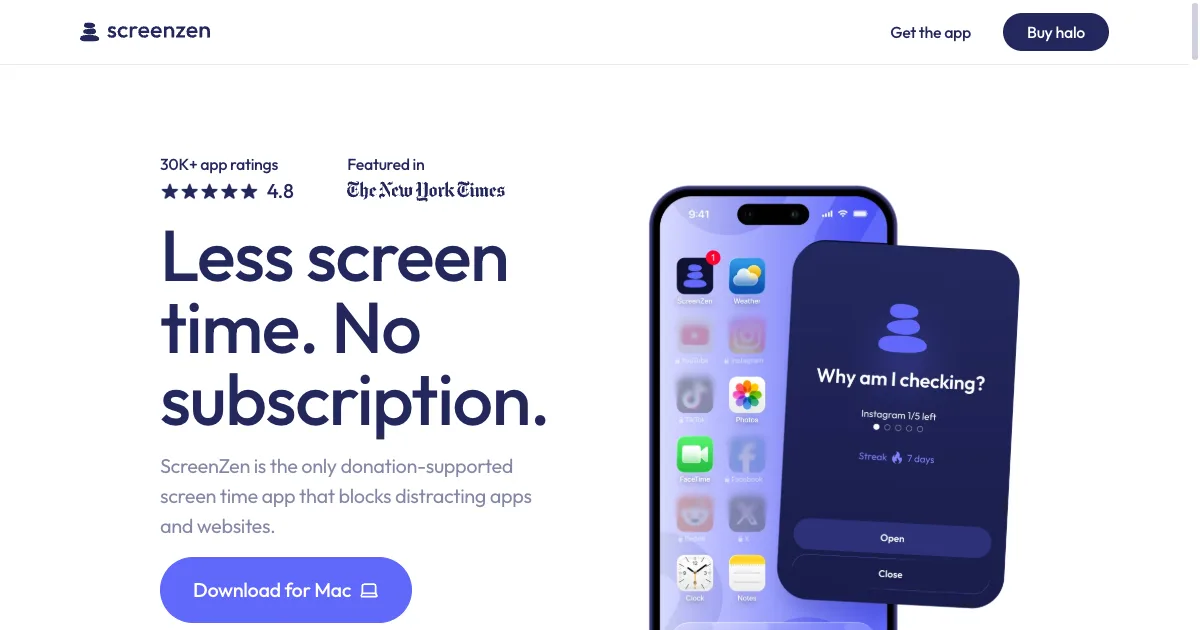
    ScreenZen is a screen-time app for putting deliberate boundaries around distracting apps and websites. Its approach includes scheduled blocks, limits and pauses before access, giving you a chance to notice an automatic opening and decide whether you still want to continue. The official service is donation-supported, so it is worth checking its current offering rather than assuming the subscription model used by many competing blockers. A practical first setup is to choose one app you repeatedly open without intending to and add a short interruption. You might use a prompt that reminds you what you came to do, or limit how often you unlock the app during a particular period. This creates a different experience from banning everything for an entire day: the boundary can be designed around a specific habit or context. Scheduled blocks can support a regular study period or an evening boundary. Progress information provides another way to reflect on the pattern, but the most useful result is whether the settings make your intended routine easier to follow. Exact capabilities vary with platform and configuration, so test the particular apps and websites you need to control. ScreenZen may fit people who want friction around reflexive browsing while retaining a route to intentional use. A pause can become just another button to dismiss if the reason for opening the app stays unclear, and an overly broad rule can obstruct legitimate access. Start with a small target, choose realistic limits and review the effect after a few ordinary days. Pairing the boundary with an alternative activity can be more useful than treating a screen-time number as the only measure of a good day.

    Helps with
    AppleMobileWindows
    Free
    View
    Forest logo

    Gamified focus app that grows trees while you work

    Forest is a focus timer that turns periods of attention into a growing virtual forest. You choose a session length and a tree, then let the tree grow while you work or spend time away from distracting apps. Over time, the collection gives those sessions a visible record rather than leaving them as an abstract total of minutes. A useful starting session might be a short period of reading, a household task or one small part of an assignment. Decide what you want to finish before starting the timer and put the phone somewhere that makes it easier to leave alone. Forest's tree-growth mechanism provides a concrete reason to stay with the session, while its stronger focus options can restrict distracting app use. Exact behavior and available tools depend on your device and settings. The app also offers focus statistics and ways to focus with friends. Its real-tree partnership with Trees for the Future is another part of the offering, with the current program's conditions described by Forest. It is sensible to treat that as an additional feature rather than equating each virtual session with a particular physical tree. Forest may suit people who enjoy a visual cue and a small game-like commitment around starting work. The tree-loss mechanism will not feel encouraging to everyone, especially when a session is interrupted for a legitimate reason. Begin with achievable sessions and necessary breaks instead of using a long timer as a test of willpower. It is primarily a way to frame time and reduce distraction; you will still need to decide what the next action is and whether the work needs to be broken into smaller pieces.

    Helps with

    AppleMobileBrowser
    Free core features / optional Plus subscription; pricing varies by platform
    View
    Our Pick
    Heyday Focus logo

    Block distracting websites, remove feeds & shorts, go grayscale, and stay focused without quitting the internet.

    Heyday is a browser extension for changing how selected websites appear and behave. It offers controls such as grayscale, site limits, blocking and simplifying distracting parts of supported pages. The aim is to make an intentional visit easier to separate from an automatic browsing loop. A useful starting point is one website and one specific distraction. You might remove a feed while keeping a work-related part of the site available, or try grayscale before deciding whether a stronger limit is needed. Test the change during a normal visit and check that the page still supports what you came to do. A smaller setup can be easier to understand and revise than a large set of restrictions. The official site describes several levels of intervention, from reducing visual triggers to limiting visits or blocking a site. The Chrome Web Store is the verified source for the browser extension. It is a separate product from Enough, the company’s iPhone app, so features or purchase terms for one should not be assumed to apply to the other. Heyday may suit people who want to reshape a browser environment without making every useful website inaccessible. It still requires choosing the controls that fit your work, and website changes can affect individual features. Check the current store listing and requested permissions before installing. Heyday is also the directory’s parent company; that affiliation does not make this listing an independent hands-on assessment or guarantee that the extension is the best fit for everyone.

    Helps with

    BrowserWindows
    Free
    View
    One Sec logo

    Mindful app pauses before you open distracting apps

    One Sec is an app and browser tool that adds an intentional interruption before opening a distracting destination. The interruption might be a breathing prompt or another small action that creates a pause between the impulse to open something and actually using it. It also offers blocking and scheduling options, so the setup can range from gentle friction to a firmer boundary. A practical first experiment is one app or website you often open without a clear reason. Set an interruption and observe what happens during a normal day. The pause gives you a moment to decide whether you came for a particular message or simply followed a familiar habit. If the destination is still useful, the aim can be more deliberate access rather than removing it from your life entirely. One Sec allows customization of intervention types and timing, including delayed or repeated interruptions. Its browser extension extends the approach to websites, while mobile capabilities differ by platform and continue to develop. Check the current device support and plan for the particular settings you want. The product also describes integrations with other tools, but those are optional additions to the core interruption workflow. One Sec may fit people who find total blocking too rigid but want more friction than an ordinary reminder. The trade-off is that a repeated pause can become something you automatically dismiss. Begin with one meaningful target and an interruption that makes the decision clearer, then review whether it is actually changing the pattern. Pairing the pause with a realistic next activity can help it serve a purpose beyond simply adding another screen to tap through.

    Helps with

    AppleMobileBrowser
    Free; EUR 3.99/month or EUR 99.99 once
    View

    Side by side