
‹ Task Manager
    Resurface: ADHD To-Do List logo

    Resurface: ADHD To-Do List

    Managed by developer

    Task Manager

    The to-do list that comes back

    No streaks, no points, and nothing to keep up with.

    About Resurface: ADHD To-Do List

    Managed by developer

    No streaks, no points, and nothing to keep up with.

    Designed with ADHD brains in mind. Grounded in how attention and working memory actually work.

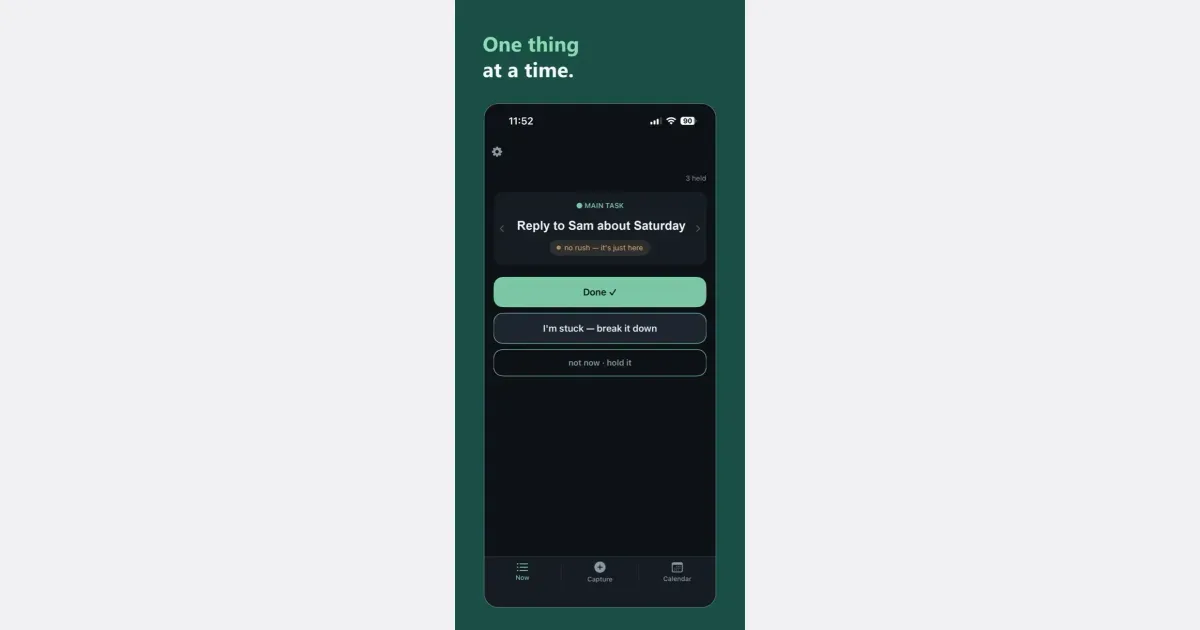
    One thing at a time. If now isn't the moment, put it down. It comes back on its own.

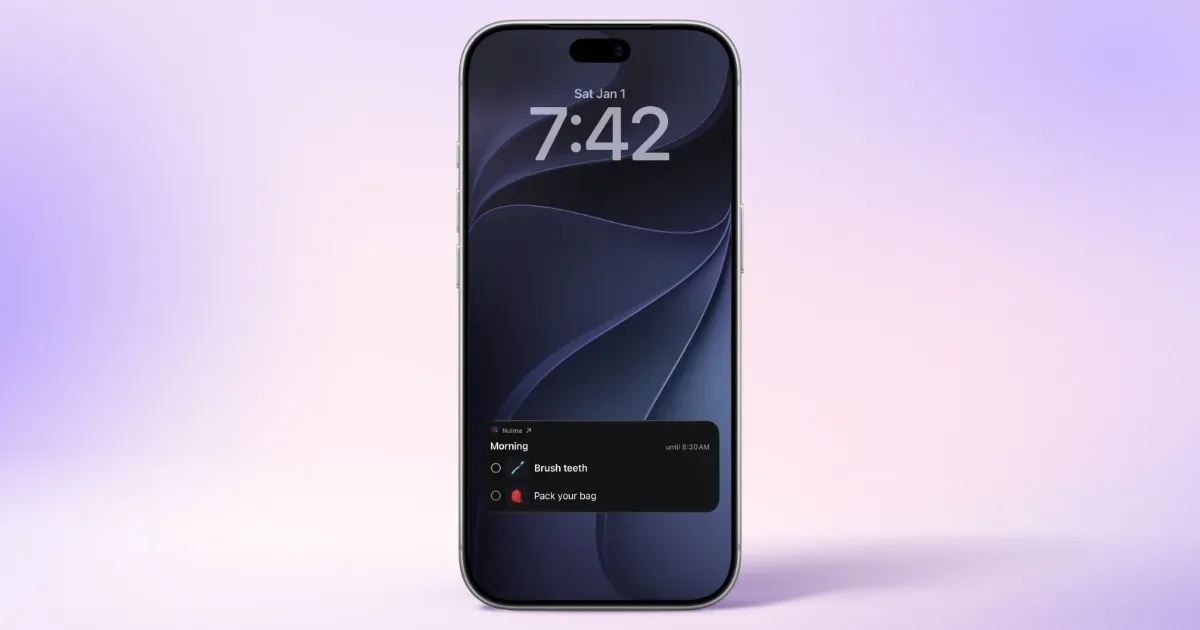
    It comes back where you'll see it, right on your home or lock screen, without opening the app. It's just here when you glance.

    Capturing is easy: type it yourself, or say it, or take a photo. Clean up that mental load you've been holding onto. You can also connect your calendar to better align with your day.

    Nothing you add ever leaves your phone, because we believe in user privacy and transparency.

    Resurface is free to use and you get Premium the first month free. After that you switch to the free plan, or pay a subscription to continue on Premium.

    Who it’s for

    People with ADHD who lose track of a task once it's out of sight. Made by someone who was diagnosed as a child and again as an adult.

    What makes it special

    It decides when to bring a task back, so you don't have to. Get to a task and it waits longer next time. Leave it and it comes back sooner.

    Approach to privacy

    Nothing you add ever leaves your phone.

    How Resurface: ADHD To-Do List works

    Screenshot 1 of 2

    Now

    One thing at a time. Not now sets it aside.

    Key features

    • One thing at a time

      If now isn't the moment, put it down. It comes back on its own.

    • Done, stuck, or not now

      Those are the only choices.

    • The Resurface Engine

      It decides when to bring a task back, so you don't have to. Get to it and it waits longer next time. Leave it and it comes back sooner.

    • Lock Screen and Home Screen

      It comes back where you'll see it, without opening the app.

    • Passive notifications

      Passive by default. It never interrupts. It's just here when you glance.

    Show all 8 features
    • Type, say, or photograph

      Capturing is easy: type it yourself, or say it, or take a photo.

    • Calendar connection

      You can also connect your calendar to better align with your day.

    • No streaks, no points

      Nothing to keep up with.

    Resurface: ADHD To-Do List pricing, explained

    Free and Paid Plans · Resurface is free to use and you get Premium the first month free. After that you switch to the free plan, or pay a subscription to continue on Premium, $0.99/mo or $9.99/yr

    Pricing has not been verified by our editors.

    Check current pricing on Resurface: ADHD To-Do List’s website

    App store ratings

    Resurface: ADHD To-Do List FAQ

    How much does Resurface cost?

    Resurface is free to use and you get Premium the first month free. After that you switch to the free plan, or pay a subscription to continue on Premium, $0.99/mo or $9.99/yr

    Where can I get it?

    On iPhone and iPad, from the US App Store only.

    What can I do with a task?

    Done, stuck, or not now. Those are the only choices.

    Does it have streaks or points?

    No streaks, no points, and nothing to keep up with.

    How do I contact the maker?

    Use the contact form at resurfacehq.app or email help@resurfacehq.app.

    All Resurface: ADHD To-Do List tags

    Platforms

    iOS

    Best for

    Daily RoutinesHousehold / ChoresRelationship Management

    Experience

    ADHD-DesignedNo Guilt MechanicsMinimal / Low Stimulation UI

    Resurface: ADHD To-Do List alternatives

    Explore all Resurface: ADHD To-Do List alternatives →
    Nulma logo

    Your daily routines, visible right when you need them

    Your day is full, your head doesn't have to be. Nulma turns the parts of everyday life that keep coming back into simple routines. When it's time, the right steps are ready. See what matters now, what comes next, and move through your day one step at a time. MADE FOR REAL LIFE • Build routines for mornings, getting out the door, work, school, evenings, and more. • Break each routine into easy-to-follow steps, with optional symbols to make them clearer. • Choose the days and times that work for you. With Premium, you can schedule the same routine more than once a day. • See your current and upcoming routines without digging through a long to-do list. • Get notified when a routine begins, so you know when it's time to get started. • Check off steps from Live Activities, Home Screen widgets, or Apple Watch. Keep an eye on what's next with Lock Screen widgets and your Apple Watch face. • Bring scheduled Apple Reminders into your routines and complete them alongside your steps with Premium. • Ask Siri what's next or open a routine with a shortcut. STRUCTURE WITHOUT THE PRESSURE Nulma is for busy parents, students, professionals, people with ADHD, and anyone with a lot on their mind. Some days go according to plan. Others don't. Skip a step when plans change and pick things up again when you're ready. No streaks to protect. No pressure to do everything perfectly. Just a little more structure when you need it. PRIVATE BY DESIGN Your routines are personal. They should stay that way. Nulma stores your routines on your device and can sync them securely through your private iCloud account. Your routine content isn't sent to us, and we can't access it. No account to create. No ads. No tracking across apps. Just your routines, kept where they belong: with you. START SIMPLE Get started for free with up to three active routines. Upgrade to Premium for unlimited routines, more flexible scheduling, and Apple Reminders integration. Less to remember. More room to focus.

    Helps with
    Apple
    Free and Paid Plans
    View
    Flowo logo

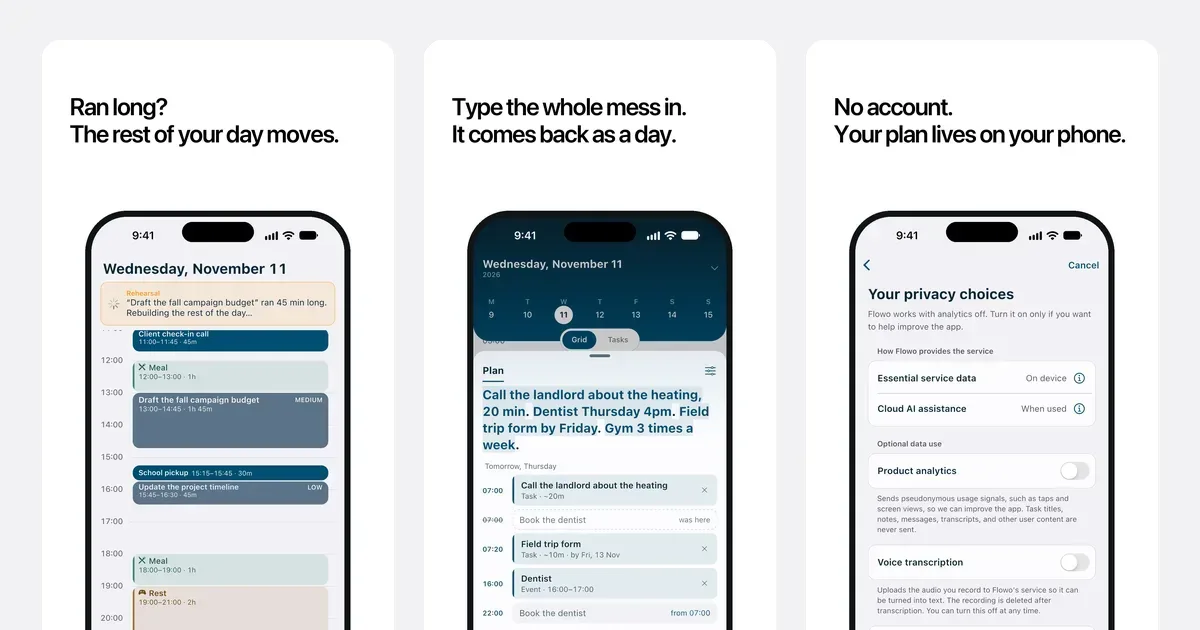
    The planner for days that don't go to plan. Flowo builds your day around sleep and the things you can't move, then rebuilds it in one tap when something slips.

    Flowo plans your day for you. Tell it what needs doing and what can't move, and it lays out a day you can actually get through. Then real life happens. A meeting runs long and the morning goes sideways. Most planners leave you staring at a list of overdue tasks. Flowo has Recovery: one tap rebuilds the rest of your day and shows you exactly what moved, so you always know what to do next. A brain dump catches loose thoughts before they pile up in your head and turns them into tasks. Sleep comes first in every plan, because a day built on too little sleep falls apart by noon. Flowo runs on iPhone and Android, and you can start without creating an account.

    Helps with

    AppleMobile
    App Store (US): 14-day free trial, then US$4.99/month or US$29/year, or US$44.99 once for lifetime
    View
    Airtable logo

    Visual database that works like a spreadsheet but thinks like a database

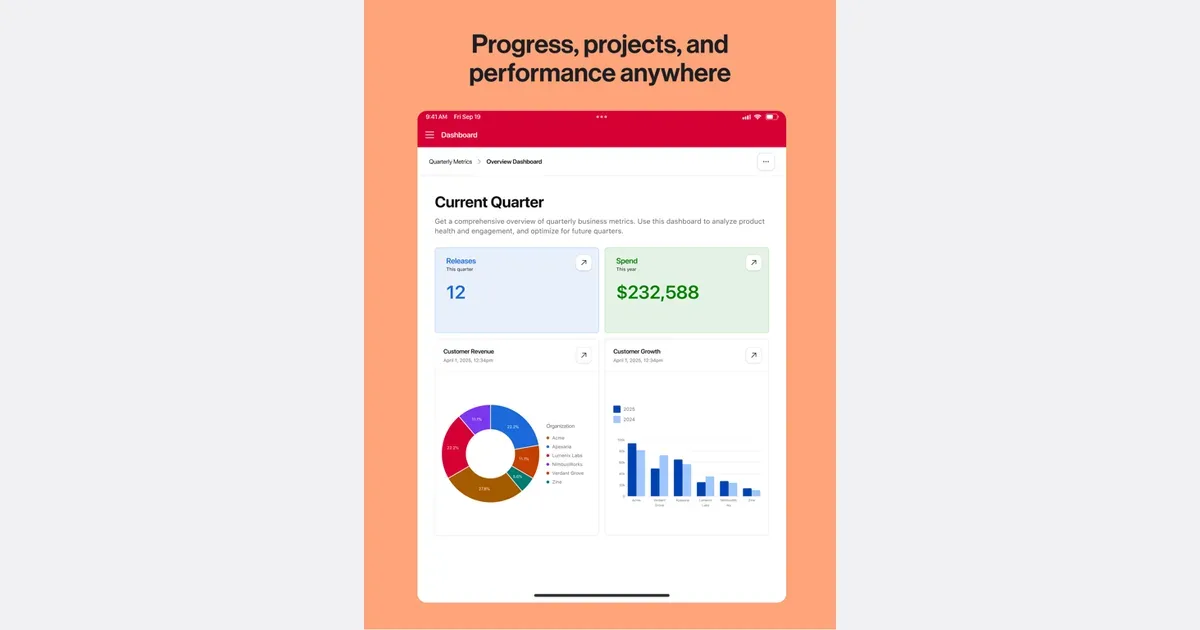
    Airtable is a configurable workspace for organizing structured information and turning it into useful workflows. Its tables hold records with different fields, so a project can track a status, date, attachment and related information together. It suits work that needs more context than a checklist but does not justify building a custom system from scratch. For example, a content team could keep each article as a record, connect it to a campaign and track who is responsible for the next step. Different views can make the same underlying information useful for different jobs, rather than requiring a separate spreadsheet for each person. Forms provide a way to collect information consistently, and automations can move routine work along after a defined event. Airtable's current platform also includes AI-assisted app building and agents. These expand what a workspace can do, but the foundation remains deciding what information belongs in the system and how people will use it. Before adding automated steps, establish clear field names and a simple process that can be understood by someone else. The main trade-off is setup and ongoing maintenance. A flexible base can become difficult to follow if every exception creates another field, view or automation. Start with one small workflow and a handful of essential properties, then test it with real examples. Airtable may fit project trackers, inventories and shared operational records particularly well. A simpler task app may be easier when all you need is a short list of next actions. Check current plan limits and collaboration arrangements before making it a team's central workspace.

    Helps with

    AppleWindowsMobile
    Free; from USD 20/user/month (billed annually)
    View
    Amplenote logo

    Notes and tasks combined with Eisenhower matrix prioritization

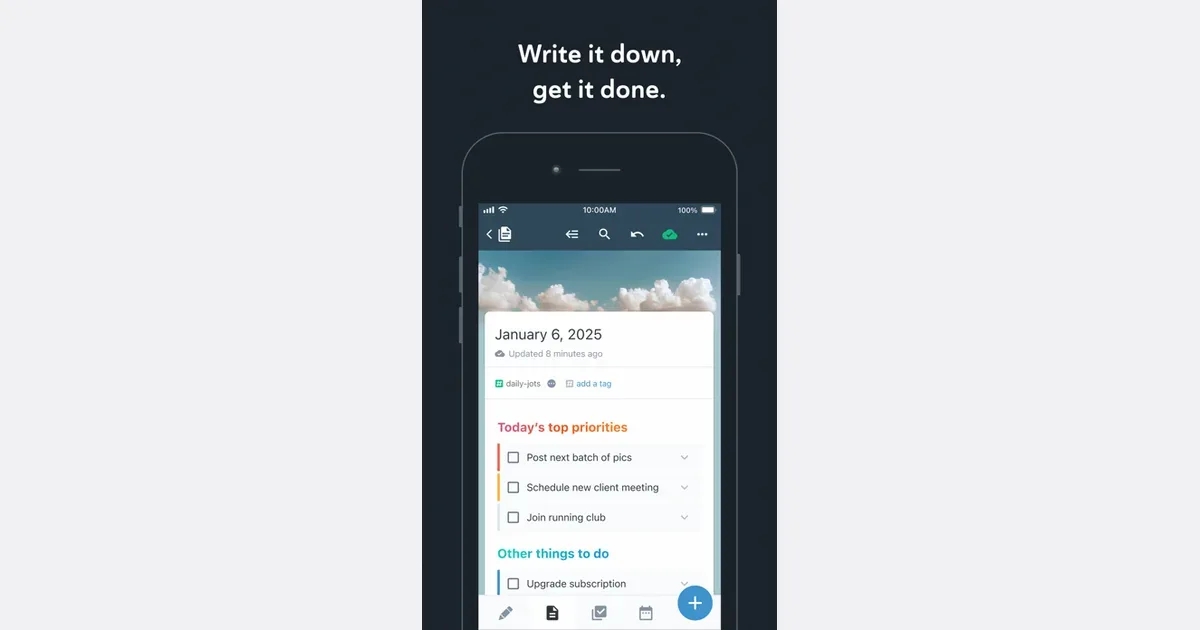
    Amplenote brings notes, tasks and calendar planning into one workspace. It is intended for people whose actions emerge from meeting notes, research, daily thoughts or project ideas, and who would prefer to keep the supporting context beside the work. Its capture, review and planning tools offer a path from a quick thought to a scheduled next step. You can begin by collecting short entries in Jots, then move useful material into longer notes. Tasks can live inside those notes rather than being copied into a separate task manager. Tags, links and search help you find related information again, while the Tasks and Calendar areas provide a more focused view of what needs doing. For example, a meeting note can hold the discussion and its follow-up actions, with selected actions brought into your plan for the week. The current product also includes dashboards for goals and completed work, optional mood tracking, and AI assistance through Ample Agent Pro. These additions extend the core notes-to-action workflow with help organizing material, refining text and identifying possible next actions. Availability depends on the chosen plan and feature, so check the current offering before building a workflow around an advanced capability. Web, desktop and mobile access support capturing and reviewing in different settings. Amplenote may fit someone who loses track of tasks when they become separated from the notes that explain them. The tradeoff is learning how notes, tags, tasks and calendar planning relate to one another. A small project is a better first experiment than importing every archive and designing a complete life system at once. Keep the capture route simple, reserve a regular review time, and assess whether the combined workspace reduces the number of places you need to check.

    Helps with

    BrowserAppleMobile
    Free; $5.84–20/month (billed annually)
    View

    Side by side