
 Take the Quiz

A zero-friction notes and productivity app
Helps with
BrowserMobileWindows
FreeDiscover tools built for ADHD, neurodivergence, and focused work.
Not sure where to start? Find tools with a short quiz.

Pomodoro Timer, Focus Music and AI Review for Developers, Students and Professionals
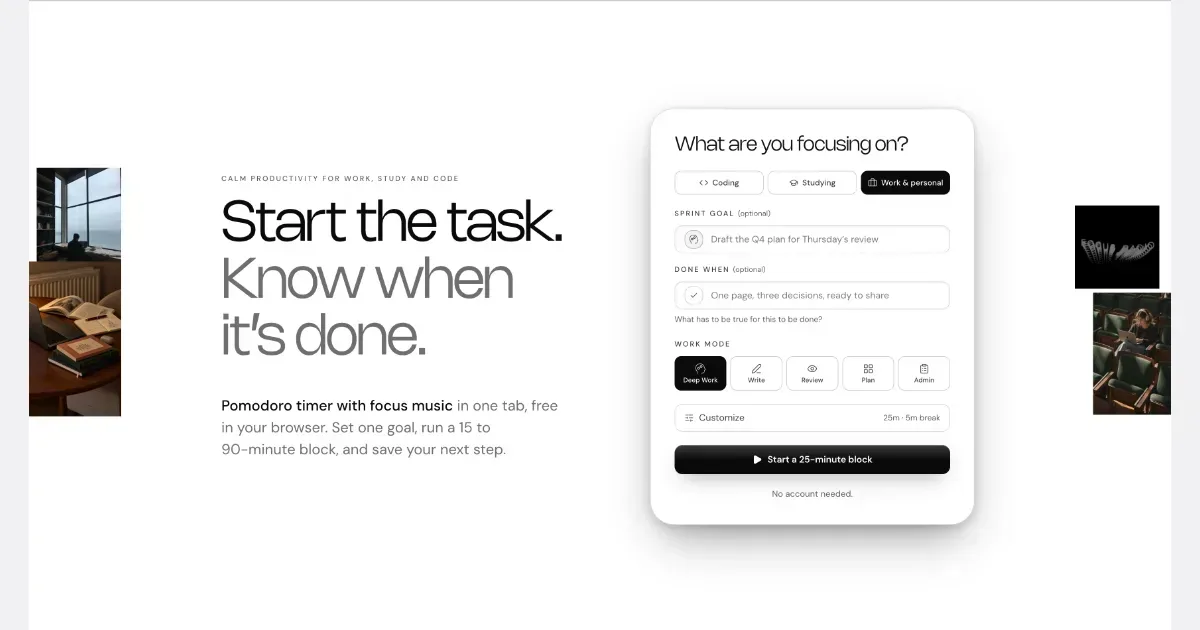
NEDIO is a free focus timer that helps people who work at a computer all day start, stay on track and stop without losing the thread. Before each work block you write one goal and a single “Done when” line. After the block you answer one question: was the goal reached (Yes, Partly or No)? You also leave a “parking line” saying where to pick up next time. It runs in the browser with no account, and inside VS Code and Cursor. NEDIO is built around difficulties many people with ADHD describe: “I can’t get started,” “I sat down to do one thing and ended up somewhere else,” “I can’t stop,” and “by evening I have no idea what I did.” It has no productivity score, no streaks and no reminders to get back to work, so a missed goal is simply a record, not a failure. It does not read your code or files and stores only what you type. It is not a treatment for ADHD or a replacement for a doctor, therapist or coach. It makes starting and stopping a bit cheaper. The timer, close-out and weekly stats are free; Pro ($9.99/month, 15-day trial) adds unlimited audio and AI Review.
Helps with

ADHD and chronic illness tracker for mood, energy, symptoms, and meds
Bearable is a customizable health diary that brings mood, symptoms, energy, sleep, medication and everyday factors into one record. Instead of keeping separate notes for each concern, you can decide which sections matter, log a few observations and review how those observations change over time. The home screen can be simplified by hiding and rearranging tracking sections. Symptoms, feelings and factors can be tailored to your own terms, so a useful setup might begin with two symptoms, sleep and one activity you want to understand. There is no need to fill every available field. This flexibility is particularly relevant when a detailed tracking system would otherwise become another demanding daily task. Entries feed into timelines, calendars and trend charts. These views can help you recall when something happened, compare periods and prepare a clearer account for an appointment. Exporting data to a CSV file provides another way to review the record outside the app. Supported health connections can import selected measurements, but Bearable does not write its symptom logs and mood ratings back to those platforms. The free version supports a broad range of logging, reminders and recent trend views. Premium adds tools such as longer reporting periods, additional custom measurements and more detailed correlation reports. Trying the basic logging routine first can help you decide whether those extra reports would be useful before paying for them. Bearable may suit someone who wants a structured record that reflects their own priorities. The tradeoff is setup and ongoing entry effort: a larger list of factors can create more work without necessarily creating better insight. Correlations show that recorded things occurred together; they do not prove that one caused another. Use the record as a conversation aid and source of questions, rather than as instructions to diagnose yourself or change treatment.
Helps with

Personalized 24/7 digital support for ADHD and autism
Brain in Hand combines digital tools with human support for autistic and ADHD people in work, education and everyday life. Its current service emphasizes bringing neurodiversity coaching into the situations where support is needed, rather than relying only on an occasional scheduled conversation. Access is arranged through the provider and may involve an employer, education setting or another support pathway. The starting point is understanding what kind of help you need and how the service would fit your day. Before arranging access, think of a few concrete situations: getting stuck when plans change, feeling overwhelmed before a meeting or needing help to regain a manageable next step. Those examples can make a provider conversation more useful than a general request to be more productive. Brain in Hand describes a blend of digital support, one-to-one coaching and on-demand human guidance. Its introductory demo explains how the service works and how organizations can introduce it. The provider also discusses funding routes such as Access to Work and Disabled Students Allowance; eligibility and what is included depend on the individual arrangement. This is a more involved support option than downloading a standalone checklist. Consider the onboarding process, how you will contact support, the hours and response expectations in your package, and who can see information you share. Ask for a clear quote and service specification before deciding. It may suit someone seeking ongoing, personalized support, while a simpler tool may be enough for a narrowly defined planning need.
Helps with

Quick mood and activity tracker with visual insights
Daylio is a mood journal and activity tracker for people who want to record a day without starting with a blank page. Choose a mood, tap the activities that fit and add a note when there is something you want to remember. The result is a personal timeline that can be quick to maintain while still leaving room for a more detailed diary entry. Moods and activity groups can be customized around your own vocabulary. For example, a small set of activities might cover work, movement, social time and rest. Keeping those choices recognizable can make it easier to record an entry when energy or attention is limited. Notes and photos can preserve context that a mood icon alone would miss. Daylio turns entries into charts and summaries, including weekly or monthly views and a Year in Pixels overview. Goals connect repeated activities to a daily, weekly or monthly intention. A practical routine is to make one short entry at a dependable moment, then review a week of entries rather than trying to interpret every change immediately. More frequent check-ins are an option if one overall daily rating feels too broad. There is an ongoing free version and an optional Premium subscription. Advanced statistics, additional customization, unlimited goals and automatic backups are among the paid features; the exact feature set should be checked in your device's app. Journal entries stay on the device, with optional backups to your private cloud storage. A manual backup file can also be exported for safekeeping or transfer. Daylio may fit someone who wants gentle structure for reflection and a record of ordinary life. Its patterns depend on what you choose to log. A chart can suggest questions to explore, but does not establish why a mood changed or provide a diagnosis.
Helps with

Feature-rich Windows journaling app with automatic daily prompts
Diarium is a personal journal for Windows, Android, iPhone, iPad and Mac. You can write entries with text and attachments, organize them with tags and revisit them through a calendar, timeline, gallery or map. It can be used without creating a Diarium account, with optional syncing through your own cloud storage. A useful first entry can be very small: a few sentences, one photo or a voice note about something you want to remember. Try finding that entry again through the calendar or search before adding more integrations. This helps you learn the retrieval side of journaling, rather than only collecting material you may never revisit. The app supports rich text, photos, videos, audio and other files. Optional integrations can bring in context such as calendar events, photos or activity data, reducing the need to reconstruct a day from scratch. Consider each integration separately and connect only what is useful for your journal. Entries can remain on the device, while Pro syncing uses a supported storage service such as OneDrive, Google Drive, Dropbox, iCloud or WebDAV. Diarium may suit someone who wants a multimedia diary and control over their storage choice. Cloud syncing still depends on the chosen provider and correct setup, and attachments can consume storage. Pro is a one-time purchase per platform rather than a universal subscription. Check the price and included features for every platform you intend to use before assuming a purchase transfers between devices.
Helps with

Mood tracking app designed for bipolar disorder and mental health
eMoods is a mood-tracking service for recording symptoms and looking back at patterns. Its product family includes an online service and a separate fully offline Classic app. The distinction matters when choosing where personal information will be stored and which features or subscriptions apply. A practical starting point is a small set of observations you can record consistently. Keep entries brief and use the same meaning for each rating, so a later chart has useful context. Notes can help explain a change in routine or an unusual day without requiring you to reconstruct the whole period from memory. If you are using the record with a clinician, agree which information is actually useful to bring to appointments. The online service’s free level includes mood tracking, charts, reminders and printable or emailed reports. Enhanced and Pro plans add customization and more detailed tracking or sharing options. Before enabling sharing, review who will receive access and what the report includes; a useful summary need not contain every private note. eMoods may suit people who want a structured record rather than a general-purpose diary. It does not establish why a symptom changed or determine treatment. The official online pricing is free, $5 monthly or $50 yearly for Enhanced, and $10 monthly or $100 yearly for Pro. Classic has its own product terms, so check the exact edition rather than applying online-service prices to the offline app.
Helps with

Adorable self-care pet app combining mood tracking and journaling
Finch is a self-care app that connects small real-world goals with looking after a virtual bird. Completing goals gives the bird energy for adventures, and returning to the app reveals stories and discoveries. This provides a playful reason to check in with a routine rather than presenting the routine only as a list of unfinished responsibilities. A useful first setup is a small number of achievable goals that genuinely belong in your day. You might choose a brief walk, a moment of reflection or preparing something for tomorrow. The app supplies initial goals to introduce the experience, and you can add your own as you learn what feels useful. A home-screen widget offers another reminder to return without needing to search for the app. Finch includes activities such as reflections, breathing exercises and focus timers. Its character and home can be customized, while social features let friends exchange encouragement. Quests introduce different parts of the app, and an optional Plus subscription adds benefits beyond the basic experience. Check the current feature description if a particular activity or customization is important to you. Finch may suit people who respond to a friendly character and small visible rewards. It is worth considering how you feel about check-in streaks, collecting items and seasonal events: those features can be enjoyable, but they can also become another thing to keep up with. Start with goals that support your day rather than goals chosen only to earn a reward. The bird is most useful as a cue for caring for yourself, while the real routine should remain flexible enough for changing energy, priorities and time.
Helps with

Free emotion check-in app developed with scientists
How We Feel is a free emotional wellbeing journal that helps you find more precise language for an experience than simply good or bad. Its check-in process starts with how pleasant and energetic a feeling is, then offers emotion words and descriptions to help you choose one that fits. A brief entry can become a pause to notice what is happening, without requiring a long written journal. You can add context to a check-in and look back at your history for recurring patterns. For example, a short note about a busy meeting or a quiet evening may make a later review more meaningful than an emotion label on its own. A manageable starting routine is one check-in at a familiar point in the day, adding detail only when it helps you understand the moment. The app also includes short strategies covering thinking, movement, mindfulness and reaching out to other people. These give the journal a practical next step after naming an emotion. The nonprofit developed How We Feel in collaboration with the Yale Center for Emotional Intelligence, and donations support free access. Privacy depends on the features you choose. The current policy distinguishes using the app without an account, when recorded data stays locally on the device, from account-based use that collects check-ins and related information. Friends sharing, research participation and AI features involve additional choices. Optional AI reflection should be understood as generated assistance, and you can review those settings before entering anything sensitive. How We Feel may suit someone who wants a guided check-in rather than an open-ended diary. Its history can also provide useful details to discuss with a practitioner between appointments. It is a tool for emotional awareness and reflection, not a replacement for care, and there is no requirement to turn every feeling into a score or an improvement project.
Helps with

Cross-platform journal with mood tracking and coach features
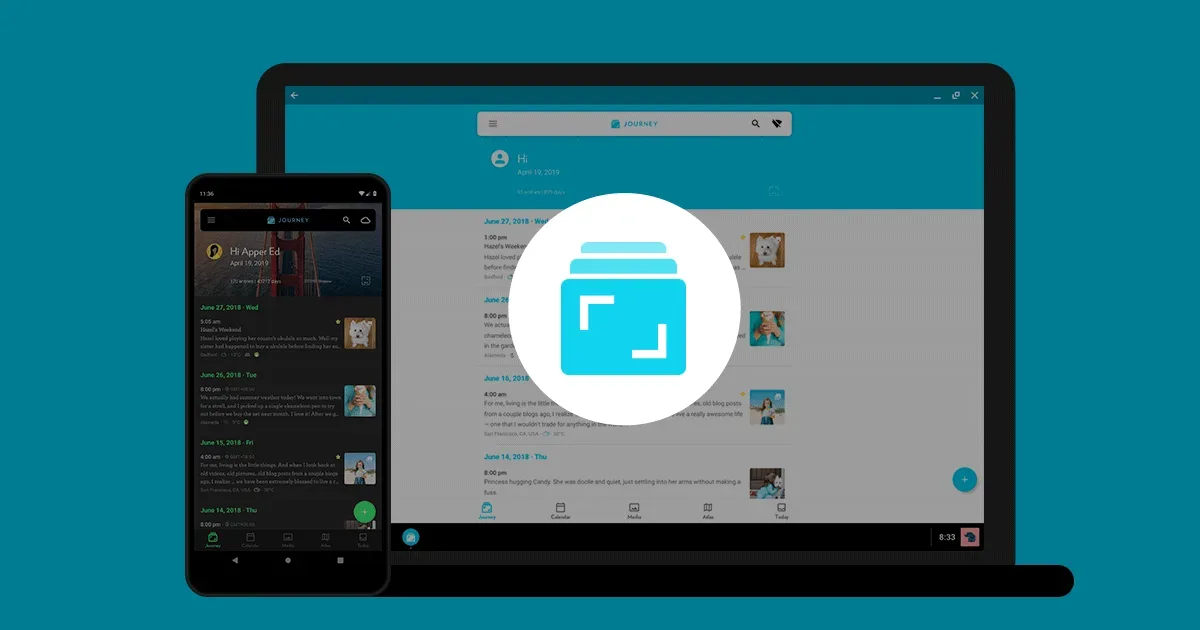
Journey is a diary and journaling app for building a personal record across mobile, desktop and web. Entries can contain text, photos, video and audio, with mood and location information when you choose to include it. Calendar, media and map views offer ways to revisit experiences beyond scrolling through a list of dates. For example, you could create a short travel entry with a photo, a few observations and a place, then use the Atlas view to look back at the trip. For everyday reflection, a custom template can provide a few familiar questions. Mood tracking and throwbacks add another way to review what you have recorded, while shared journals and selected-entry links support intentional sharing with other people. Feature availability depends on the plan, platform and sync service. Journey offers Google Drive sync and Journey Cloud Sync, and those choices have different privacy behavior. Its help documentation says end-to-end encryption must be enabled for Journey Cloud Sync with a passphrase that Journey does not store. It also explains that original media is processed on its servers before encryption and that enabling this mode limits search. Review those details and your backup/export options before moving a private archive; a local app lock is a separate protection. Journey may appeal to people who want multimedia journaling across a mixture of devices rather than one operating system. Its current desktop app supports Windows, Mac and Linux, alongside mobile and browser access. Try a few entries, an attachment and an export on the devices you actually use. Start with one small prompt or photo entry so that organizing memories stays easier than maintaining a complicated journaling system.
Helps with