


‹ Focus Timer
    Softomato logo

    Softomato

    Managed by developer

    Focus Timer

    Softomato is a gentle iPhone pomodoro timer with cute theme companions, calm focus sounds, Lock Screen Live Activity and a simple focus–break rhythm.

    Softomato is a pomodoro timer for iPhone with a simple rhythm: focus, short break, repeat.

    About Softomato

    Managed by developer

    Softomato is a pomodoro timer for iPhone with a simple rhythm: focus, short break, repeat. The full timer is free, including long breaks, Lock Screen Live Activity, gentle phase-end alerts and weekly focus stats.

    A visible timer and planned breaks can help with time blindness, and with hyperfocus that runs past a stopping point. Three free focus sounds (rain, waves, cafe) and three soft themes with cute companions are there to make starting a session a little easier, not to grade or punish you.

    Softomato Forever is an optional one-time unlock for every theme and every focus sound. There is no subscription and no ads. Focus sounds can keep playing when the screen is locked or you leave the app.

    Who it’s for

    Anyone who wants a simple, gentle pomodoro timer on iPhone — including people who find harsh or overly strict focus apps discouraging, and who like a clear focus–break rhythm with optional background sounds.

    What makes it special

    The complete pomodoro cycle is free, with cute theme companions, calm focus sounds, Live Activity on the Lock Screen and gentle alerts. Forever is a one-time unlock for every theme and sound, with no subscription and no ads.

    Approach to privacy

    App Store privacy label: Data Not Collected. No account is required. Timer preferences and focus statistics stay on your device. The current version does not include third-party advertising or analytics SDKs. Apple handles purchases.

    Softomato screenshots

    Screenshot 1 of 4

    Key features

    • Full pomodoro timer

      Focus, short break and long break are included for free, with gentle phase-end alerts.

    • Themes and focus sounds

      Three soft themes with cute companions and three sounds (rain, waves, cafe) are free; Forever unlocks every theme and sound.

    • Lock Screen Live Activity

      See the current phase on your Lock Screen, and keep focus sounds playing when the phone is locked or you leave the app.

    • Weekly focus stats

      Review your focus time; later updates also added week and month calendars and shareable stat cards.

    Softomato pricing, explained

    Free and Paid Plans · Free; USD 2.99 once

    Pricing has not been verified by our editors.

    Check current pricing on Softomato’s website

    Softomato FAQ

    Is the pomodoro timer free?

    Yes. The full focus, short-break and long-break timer is free, along with three themes, three focus sounds, Live Activity, gentle alerts and weekly stats. Softomato Forever is an optional USD 2.99 one-time unlock for every theme and sound.

    Does Softomato use a subscription or show ads?

    No. Forever is a one-time purchase, and the listing states there is no subscription and no ads.

    Will focus sounds keep playing if I lock the phone?

    Yes. The current release notes say focus sounds keep playing when the screen is locked or you leave the app.

    All Softomato tags

    Platforms

    iOS

    Best for

    Work / ProfessionalAcademic / StudentCreative Projects

    Experience

    Low Setup FrictionDopamine-Friendly Design

    Softomato alternatives

    Explore all Softomato alternatives →
    NEDIO logo

    Pomodoro Timer, Focus Music and AI Review for Developers, Students and Professionals

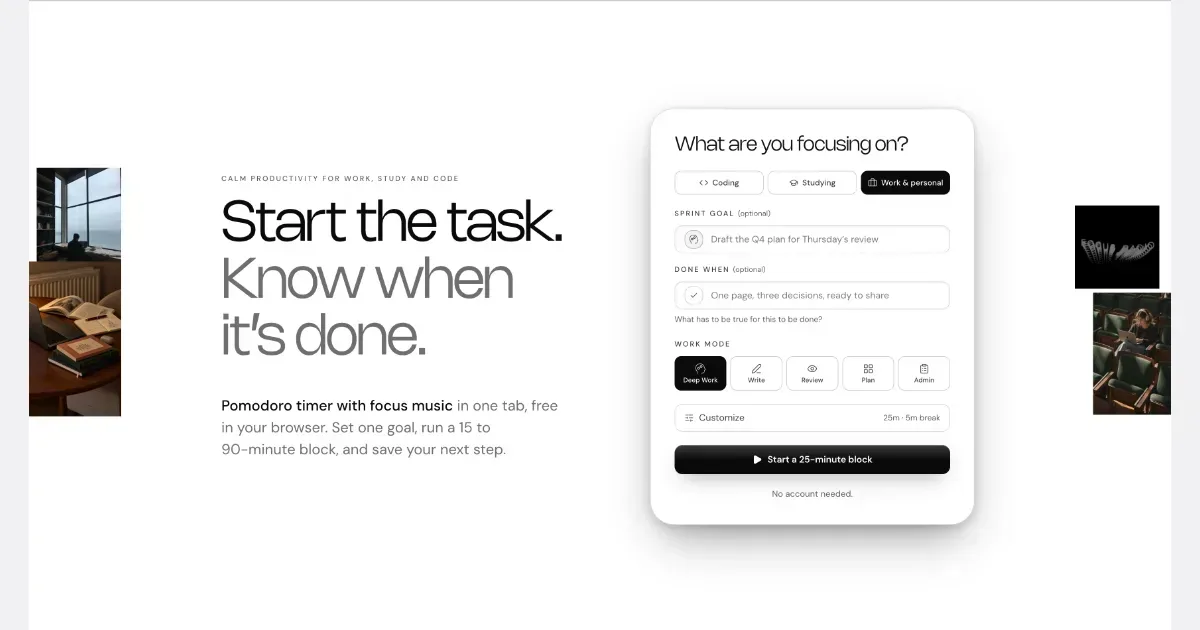
    NEDIO is a free focus timer that helps people who work at a computer all day start, stay on track and stop without losing the thread. Before each work block you write one goal and a single “Done when” line. After the block you answer one question: was the goal reached (Yes, Partly or No)? You also leave a “parking line” saying where to pick up next time. It runs in the browser with no account, and inside VS Code and Cursor. NEDIO is built around difficulties many people with ADHD describe: “I can’t get started,” “I sat down to do one thing and ended up somewhere else,” “I can’t stop,” and “by evening I have no idea what I did.” It has no productivity score, no streaks and no reminders to get back to work, so a missed goal is simply a record, not a failure. It does not read your code or files and stores only what you type. It is not a treatment for ADHD or a replacement for a doctor, therapist or coach. It makes starting and stopping a bit cheaper. The timer, close-out and weekly stats are free; Pro ($9.99/month, 15-day trial) adds unlimited audio and AI Review.

    Helps with
    Browser
    Free and Paid Plans
    View
    TickTick logo

    All-in-one task manager with Pomodoro, habit tracking, and calendar

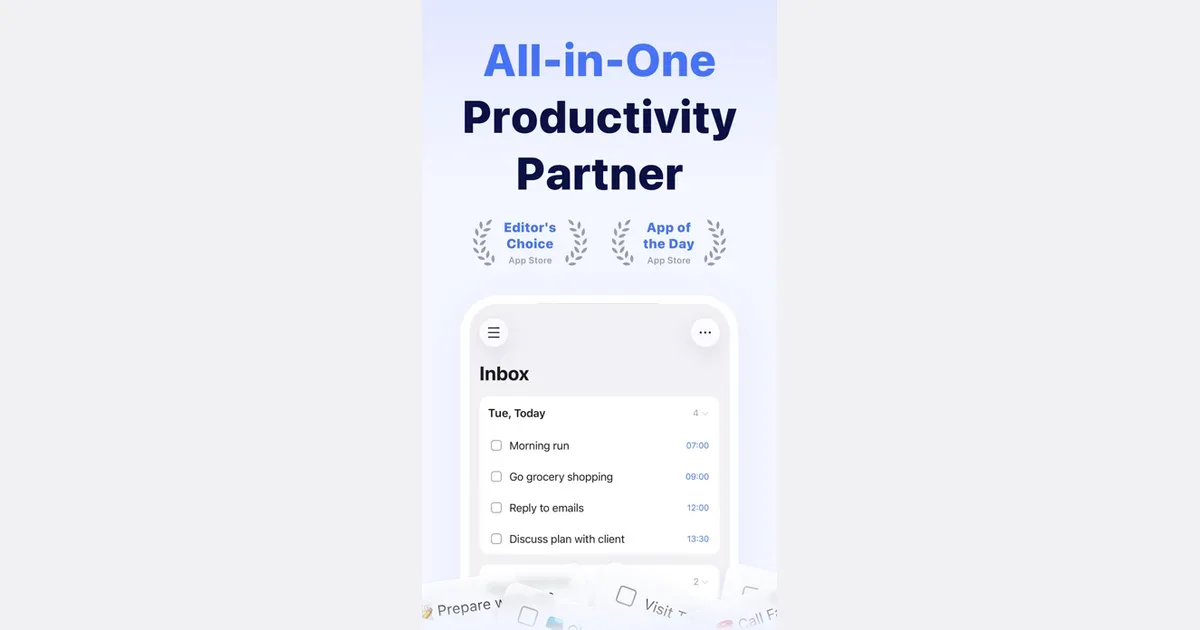
    TickTick is a task and planning app that combines to-do lists with calendars, focus timing and habit tracking. It lets you collect responsibilities in one place and choose different ways to view them, rather than treating every item as part of one long undifferentiated list. Natural-language date entry, recurring tasks and reminders support work that needs to return at a particular time. For example, you could keep study assignments in one list, household responsibilities in another and use a daily view to choose the next few actions. Breaking a large assignment into smaller steps makes the list more actionable. A calendar or timeline can then help you consider when the work might fit, while list and board views offer different ways to organize its status. TickTick also includes a Pomodoro-style focus tool and habit tracking. Those features can connect the intention to do something with a defined period of work or a recurring routine. Shared lists and task assignment support lightweight collaboration. Some planning features and usage limits depend on Premium, so check the current comparison for the particular calendar and reminder options you need. Its breadth may suit people who prefer one app for several personal organization habits. The same breadth can become distracting if you feel obliged to maintain every chart, habit and alert. Begin with task capture and a realistic daily selection, then introduce a timer or habit only if it solves a clear problem. Reminders also need restraint: a notification is more useful when it points to something you can act on. TickTick supplies the structure, while choosing a manageable workload remains an ongoing decision.

    Helps with

    BrowserAppleMobile
    Free; USD 49.99/year
    View
    Featured — paid Premium listing
    Ambient New Tab logo

    Live wallpaper for your Chrome new tab. Calm, living scenes and a focus timer give your brain a 40-second break between tasks.

    A calm, living scene every time you open a new tab. I built it for my own ADHD brain, but it's for anyone who wants a nicer place to land between tasks. Every new tab opens on a living scene instead of a blank page: koi that follow your mouse and that you can feed, eagle rays gliding over the flats, fireflies in a night forest. It's a short mental break right where you already are, then you get back to work. - Built-in focus timer: pick 25 or 50 minutes, work, then take a short break - Scenes react to your mouse, and with Pro, to music playing in another tab - Soft scene sounds you can turn down or off - Search bar and clock built in, so the page still does its job - Nothing is a looping video: every scene is drawn live - Never tracks your browsing Five scenes are free forever. Pro unlocks 50+ scenes.

    Helps with

    WindowsBrowserApple
    Free and Paid Plans
    View
    Llama Life logo

    Calm, focused productivity with one-task-at-a-time approach

    Llama Life is a task timer designed to help you work through today’s list one item at a time. You give each task a duration, arrange the order and start the timer for the item at the top. The list shows an estimated finishing time, making the size of the day more visible than a collection of untimed checkboxes. This approach can be useful for a morning routine, an administrative catch-up or a study session. For example, you could allow ten minutes to clear email, twenty minutes to draft a document and five minutes to prepare for a call. The timer provides a boundary for each activity, while the projected end time helps you notice when your plan has grown beyond the time available. If you continue after the timer ends, overtime records the extra time. Preset lists save sequences you repeat, and a task-breakdown feature can suggest smaller steps and estimates. Optional chimes bring attention back during a task, while different alarm styles let you choose a quiet visual cue or a more persistent signal. Colors, emoji and soundscapes offer ways to make the working view more recognizable or comfortable. A random-task option can help when choosing is the immediate obstacle. Llama Life is best understood as a companion for execution rather than the place to design every long-term project. It can complement a broader task system, including importing tasks from Todoist. The estimates remain estimates, and a timer is a prompt to check in rather than proof that you should already be finished. Begin with a short sequence you know well, adjust durations after trying it, and choose alerts that you will notice without making the session feel crowded.

    Helps with

    AppleMobile
    $6/month or $39/year
    View

    Side by side