Guide#ADHD#everyday checklists

    ADHD and forgotten returns: make a purchase follow-up checklist

    Keep the item, receipt location and next action together so you can review a possible return before the seller’s deadline.

    ADHD Product DirectoryNovember 18, 20264 min read
    Brown paper shopping bags stand on a white table, with a piece of grey fabric visible in one bag.

    An item arrives, but it does not fit what you need. You set it aside to decide later, then notice it again weeks afterward. Try a short follow-up checklist for one purchase while the receipt and packaging are still easy to find. The aim is to make your next action clear before the seller's return deadline.

    NIMH lists trouble remembering daily tasks among possible adult ADHD symptoms. Its adult ADHD information provides context. The steps here are an ordinary admin routine. They do not establish a right to return an item or replace the seller's policy.

    1. Check the actual policy

    Open the policy for the seller and item you bought. Find the deadline, condition rules and required steps. Use your order record to check the purchase or delivery date that the policy uses. Do not assume every shop uses the same number of days or accepts the same condition.

    Write the relevant policy link beside the item name. If the wording is unclear, ask the seller before relying on your interpretation. A return label, request date and last posting date may be different things. Record the dates that apply to your order rather than using a guessed deadline.

    2. Record the next physical action

    Turn “return this” into the next step you can take. For example, write “open the order page and request return instructions” or “put the item and receipt together.” Keep later steps below it, then revise them once you have the seller's instructions.

    Workflowy lets you add checkboxes to task bullets. Its official todo guide describes that feature. You could create one item for the purchase and put the required steps beneath it. Mark a step when it is done rather than when you intend to do it.
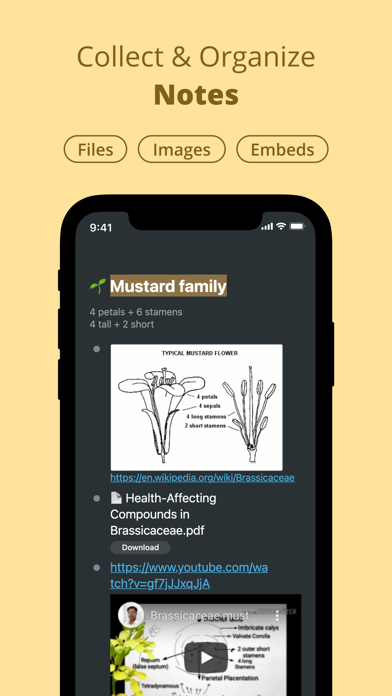
    Workflowy screenshot from its directory listing

    Keep the checklist tied to one item. A general list called “sort shopping” leaves you with the same decisions the next time you open it. If you have several items to review, give each its own short record.

    Get monthly app discoveries and focus tips

    3. Keep the needed things together

    Choose a place for the item, its required packaging and any paper receipt. Add the location to your checklist. For a digital receipt, record where you can find it, such as the order page or a specific email. Avoid copying full payment details into a general task list.

    Any.do lets you organize tasks in lists and projects. Its official to-do page describes that feature. You could keep purchase follow-ups in one list if that fits your current setup. This proposed use still depends on checking the list and acting before the relevant deadline.
    Any.do screenshot from its directory listing

    Choose a review time that leaves room for the next step. An early check gives you a chance to ask a question or find missing packaging. If you use an alert, verify that it appears where you expect it. The guide to choosing useful task alerts covers that check in more detail.

    4. Check the final result

    After handing over or posting the item, keep the confirmation or tracking record where you can retrieve it. Write the next check that the seller's process requires. If you expect a refund, check the seller's confirmation rather than marking the whole record complete as soon as the parcel leaves your hands.

    When the process is settled, close the task and retain the records you need. If the seller refuses a return, read the stated reason and decide whether to ask for clarification. This checklist cannot make an ineligible item eligible or guarantee a refund.

    You may also decide to keep the item. Record that decision so the same undecided task does not keep appearing. Keep, return or ask a question are all clearer next steps than repeatedly rereading “deal with this.”

    Review one purchase

    • Read the policy that applies to your order.
    • Write the next action and the relevant deadline.
    • Record where the item and receipt are stored.
    • Check the final confirmation before closing the task.

    Choose one recent purchase you are unsure about. Find its order record today and write the next action before starting a larger shopping cleanup.

    Apps mentioned in this article

    Any.do logo

    Free task manager combining to-dos, calendar, and reminders

    Any.do is a task-management app with personal lists and collaborative workspaces. It brings tasks, reminders and calendar context together, while shared boards give teams a place to assign responsibility and track progress. The personal and team offerings serve different needs, so begin with the kind of coordination you actually require. For personal use, a useful setup might have one list for household responsibilities and another for work administration. Capture an item when it occurs to you, then make a separate decision about when it needs attention. A clear task such as booking an appointment is easier to act on than a broad heading such as getting organized. Shared lists can make a recurring grocery shop or household handoff visible to the people involved. The team workspace adds boards, owners, due dates and automation around shared work. Any.do's current offering also includes connections with AI agents, allowing supported assistants to create or update work in the same system. Those capabilities are optional parts of the workflow; the useful foundation is still an agreed place for tasks and a clear understanding of what each status means. Any.do may suit someone who wants a familiar task-list approach that can extend into collaboration. The main trade-off is matching the plan and workspace to the job. A small private list does not need the same structure as a team process. Start with a few lists, keep reminders selective and review unfinished work before adding more features. Check current plan and device support for the specific calendar, sharing and automation options you intend to use.

    Helps with

    BrowserAppleMobile
    Free and Paid Plans
    View
    Workflowy logo

    Infinite outliner for capturing and organizing any thought

    Workflowy is an outlining tool built around a single expanding list. Each bullet can contain more bullets, allowing a rough thought to become a note, a plan or a project without moving into a different document format. You can zoom into a branch to concentrate on it, then return to the larger outline when you need context. A practical starting point is one section for active work and another for material you may need later. For a writing project, a bullet can become the article outline, with nested ideas and sources underneath. Clicking into that branch removes the surrounding collection from view, giving you a focused space without requiring a separate file. The same structure can hold a checklist or a meeting agenda. Search filters the document as you type, and tags provide another route back to related items. Saved searches and automatic synchronization support repeated access to the parts of the outline you use most. These capabilities keep the basic model small: write, indent, zoom and retrieve. You can learn the core interaction before deciding whether more advanced features are necessary. Workflowy may suit people who think in outlines or want to capture ideas before deciding on their final organization. Its simplicity does not automatically prevent clutter. Deep nesting can hide unfinished work, while a long top-level list can become difficult to scan. Give important branches clear names and revisit them regularly. It is less ready-made than a conventional daily planner, but that flexibility can be valuable when you want the structure to emerge from the material instead of fitting every thought into a predefined form.

    Helps with

    AppleWindowsMobile
    Free; $8.99/month
    View